> For the complete documentation index, see [llms.txt](https://docs.parcellab.com/docs/llms.txt). Markdown versions of documentation pages are available by appending `.md` to page URLs; this page is available as [Markdown](https://docs.parcellab.com/docs/convert/promise-insights.md).
# Promise Insights
Use the Promise Insights dashboard to gain insights into parcels delivered to your customers based on the announced delivery date.
## Overview
Specific reports on your delivery date promise are available in the space.vars.Report\_Promise dashboard.
You can use the reports and advanced filters available to identify key checkpoints where delays or inefficiencies may occur and determine if a delay risk originates from warehouse processing or during delivery.
The dashboard also highlights instances where the announced delivery date may be overestimated, which you can use to determine if adjusting the promise date can offer a more competitive delivery time frame. You can also investigate if parcels that arrive late (that is: outside the customer promise) are caused by delivery exceptions or failed attempts.
## Purpose of the Report
This section provides some example questions and how the report can help you answer them to give insights into your data.
The first example question is: *In which regions do my carriers tend to deliver later than the customer promise?*
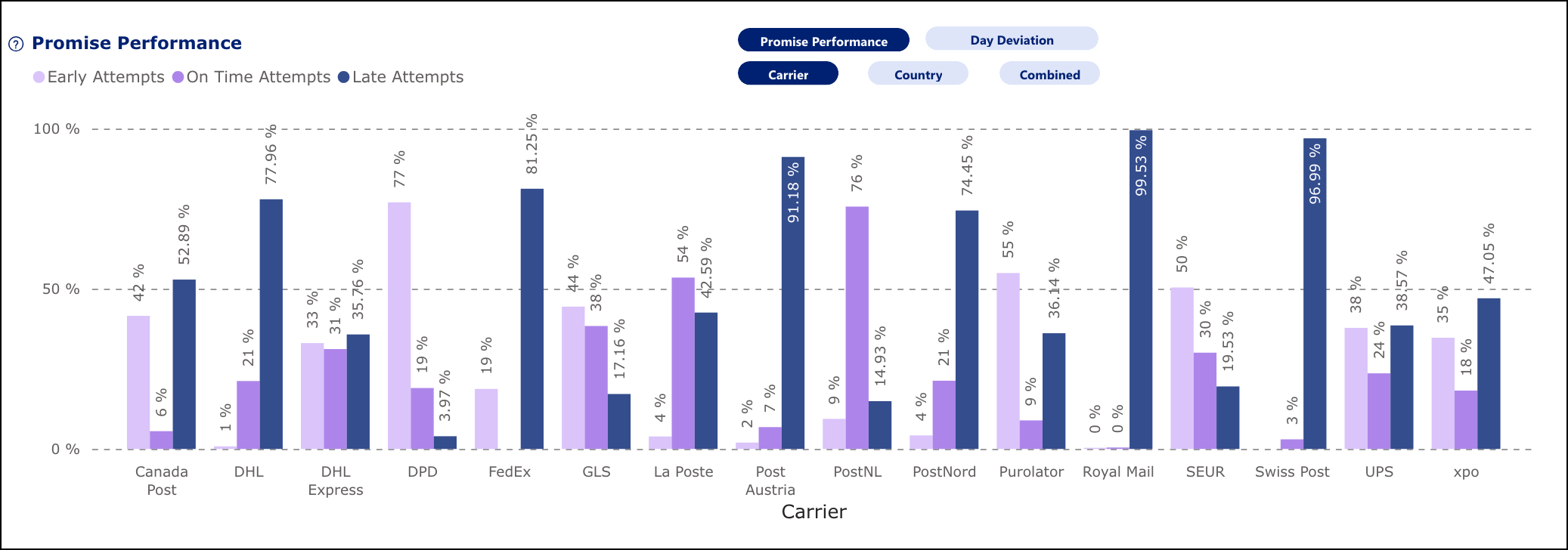
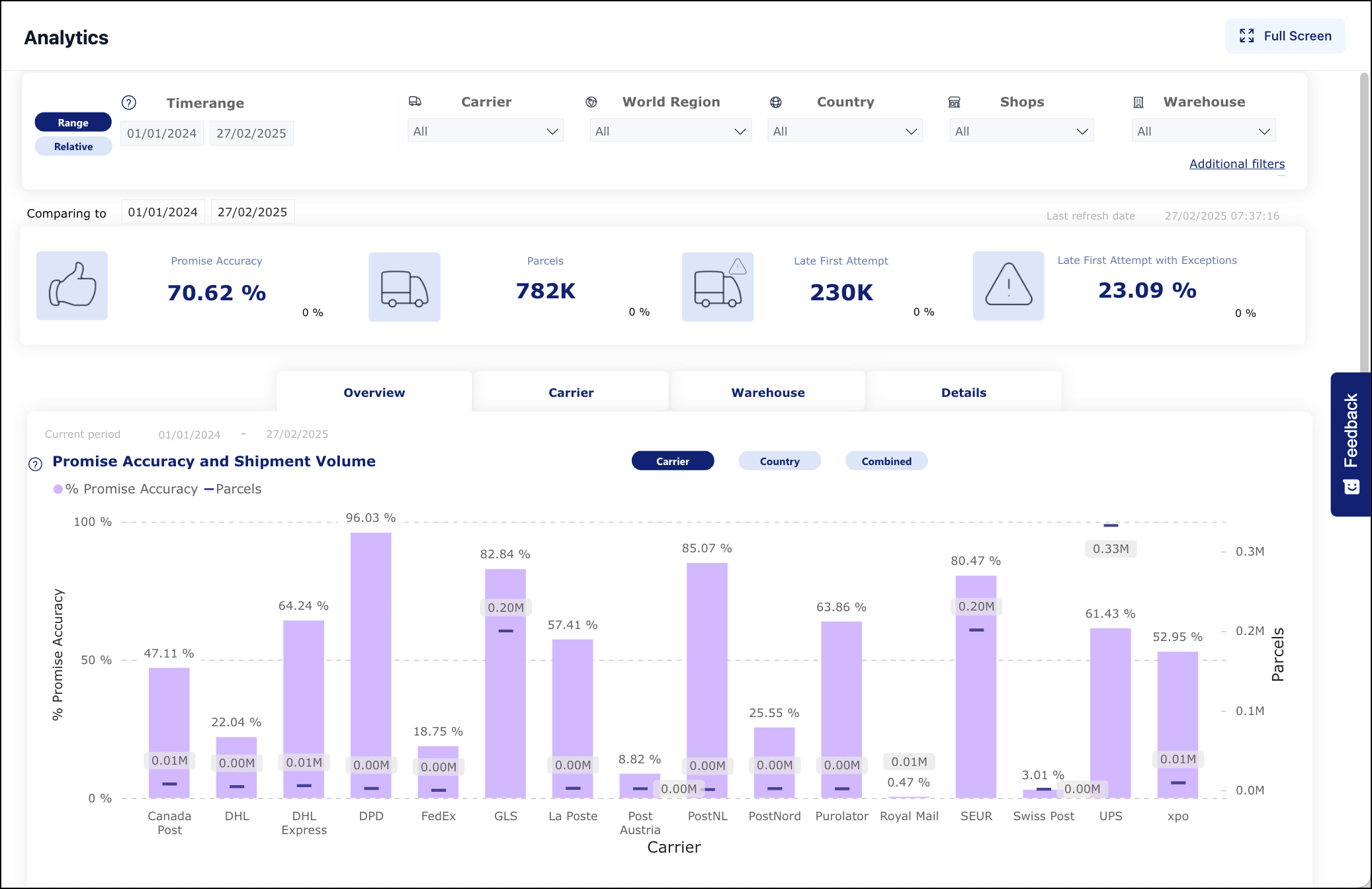
This can be answered by going to the Overview tab in the Promise report and viewing the "Promise Performance" graph. By using the filters below the Promise Performance view button, you can visualize the distribution of delivery attempts by carrier, country, or both, which allows you to identify performance issues with your logistics providers in certain regions.
The second example question is: *How many parcels are arriving within the customer promise?*
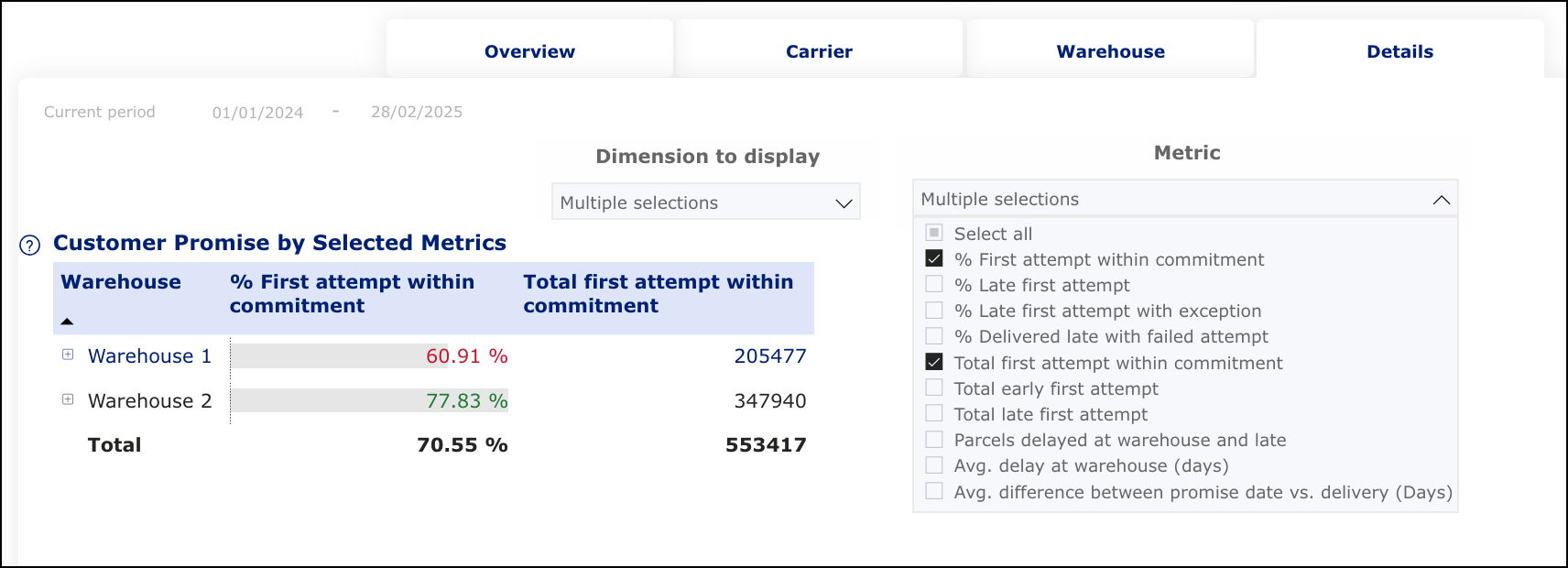
This can be answered by going to the Details tab in the Promise report and viewing the "Customer Promise by Selected Metrics" graph. Selecting the relevant metrics allows you to see how many parcels were delivered before or at the time of the announced delivery date (that is: within the customer promise).
## Use Case
Using this report, you can identify key checkpoints where delays or inefficiencies may occur and determine if a delay risk originates from warehouse processing or during delivery. The report also highlights instances where the announced delivery date may be overestimated, which you can use to determine if adjusting the promise date can offer a more competitive delivery timeframe. You can also investigate if parcels that arrive late (that is: outside the customer promise) are caused by delivery exceptions or failed attempts.
## Promise Report Features
This report is based on parcels that have been delivered or a first delivery attempt made and have an announced delivery date that was sent from the retailer to parcelLab. It contains data for the last two years.
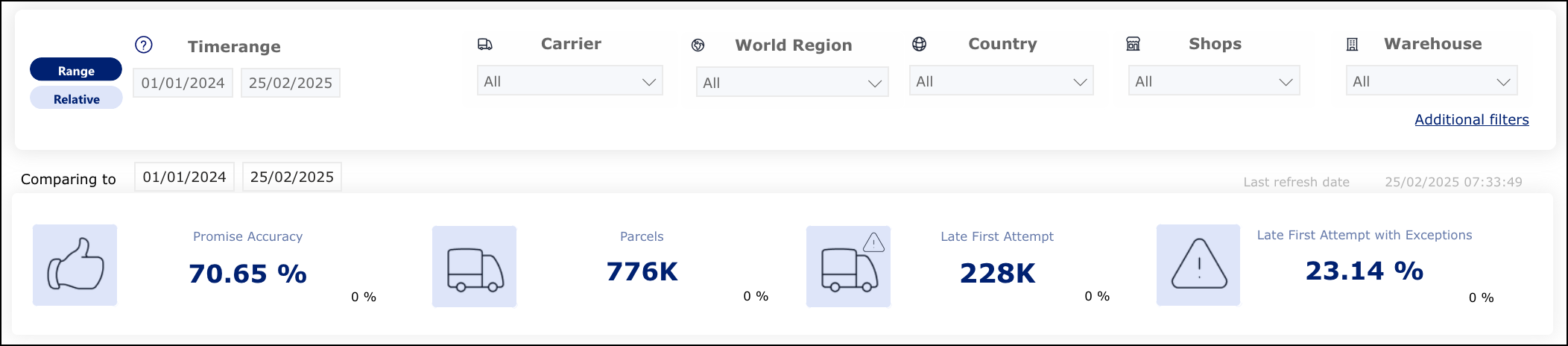
The top-level row shows the core metrics of this report for the delivery date by default and the available filters to refine the data.
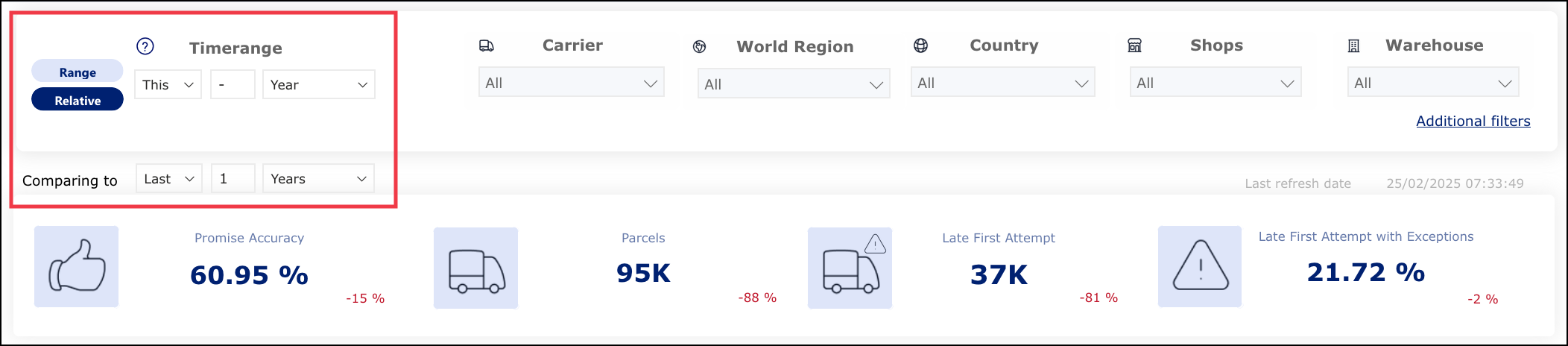
You can switch between comparing between defined dates and relative periods of time by selecting **Range** or **Relative** on the left-hand side of the Timerange filter.
You can click the tabs to switch between insights for overall Promise accuracy, carrier performance, warehouse performance and detailed insights.
More detailed charts are included in the Promise report to help you measure the performance of your delivery date promise.
{% hint style="info" icon="book" %}
**Check out the parcelLab guides**
For further information on using the report and metrics, see our [user guide documentation](https://docs.parcellab.com/guides/promise/promise-insights).
{% endhint %}
---
# Agent Instructions
This documentation is published with GitBook. GitBook is the documentation platform designed so that both humans and AI agents can read, navigate, and reason over technical content effectively. Learn more at gitbook.com.
## Querying This Documentation
If you need additional information that is not directly available in this page, you can query the documentation by asking a question.
Perform an HTTP GET request on the following URL with the `ask` and `goal` query parameters:
```
GET https://docs.parcellab.com/docs/convert/promise-insights.md?ask=&goal=
```
`ask` is the immediate question: it should be specific, self-contained, and written in natural language.
`goal` is what the user is ultimately trying to achieve, the reason they need the answer. Sharing it helps GitBook give you a better, more relevant answer. A goal is most helpful when it describes the outcome the user wants rather than restating the question. For example, with `ask=how do I create an API token`, a goal like `automate deployments from our CI pipeline` lets GitBook tailor the answer to that use case.
The response will contain a direct answer to the question and relevant excerpts and sources from the documentation.
Use this mechanism when the answer is not explicitly present in the current page, you need clarification or additional context, or you want to retrieve related documentation sections.