space.vars.Product\_pLApp, you will be able to:
* Find and access data for tracked parcels.
* Review email notifications and attachments that have been sent to your customers.
* View reports for operations and communication performance.
### Trackings: How to view trackings
In cases where you need to retrieve additional information for a customer, such as the delivery status of their parcel, here’s how you can use the space.vars.Product\_App’s search functionality on the [App Dashboard](https://app.parcellab.com/) and in the [Trackings module](https://app.parcellab.com/trackings).
Find a tracking
To find a tracking record: 1. In the search field, enter any part of the order data associated with the parcel.\ The following information can be used to search for a parcel: * Tracking number * Order number * Delivery number * Delivery address * Recipient’s name * Recipient’s email address Among the results that display, your search query will be highlighted in the tracking record. In the following example, the tracking number was entered into the search field.
When multiple results are returned, the tracking search sorts by relevance with an additional option to sort by date available as well.


You can click View Full Details to open the tracking details page.

Select a filter
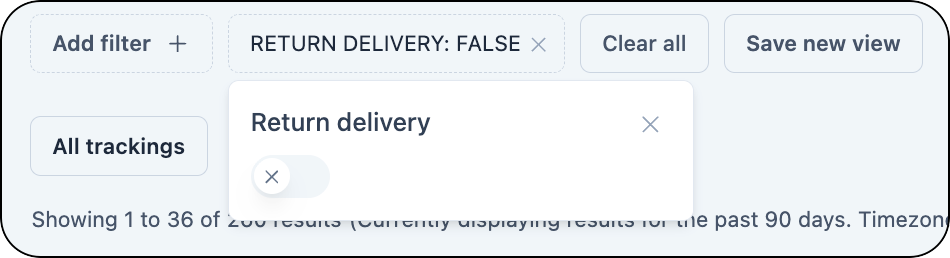
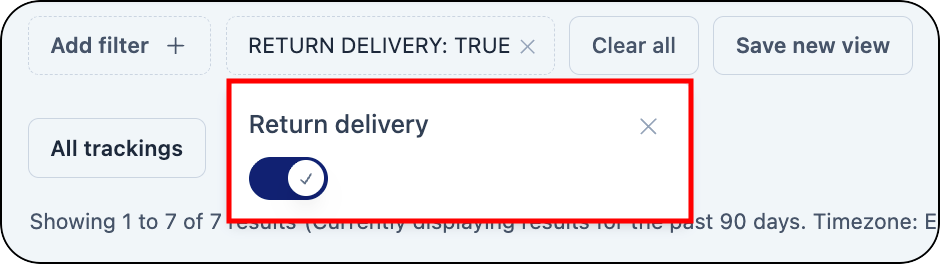
You can use the available filters to narrow your search results. More than one filter can be used at a time to customize search results. To select a filter: * Click the **Add filter** button.

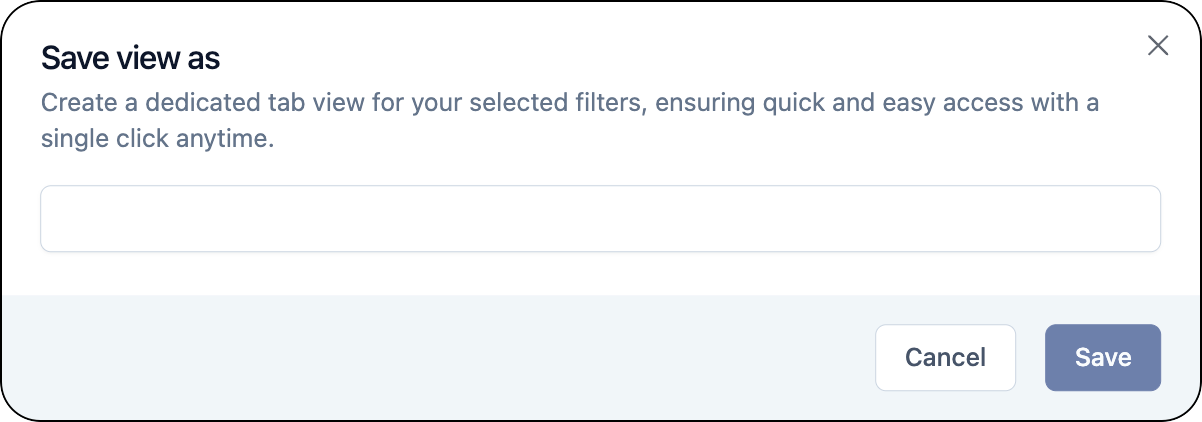
Save filtered views for trackings
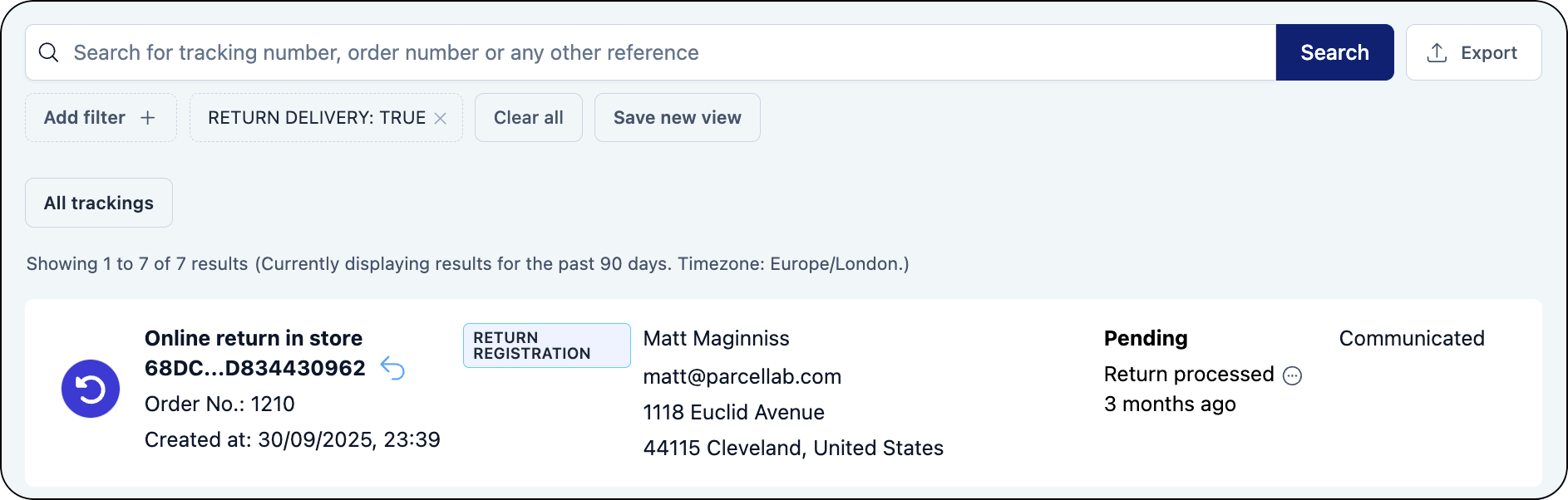
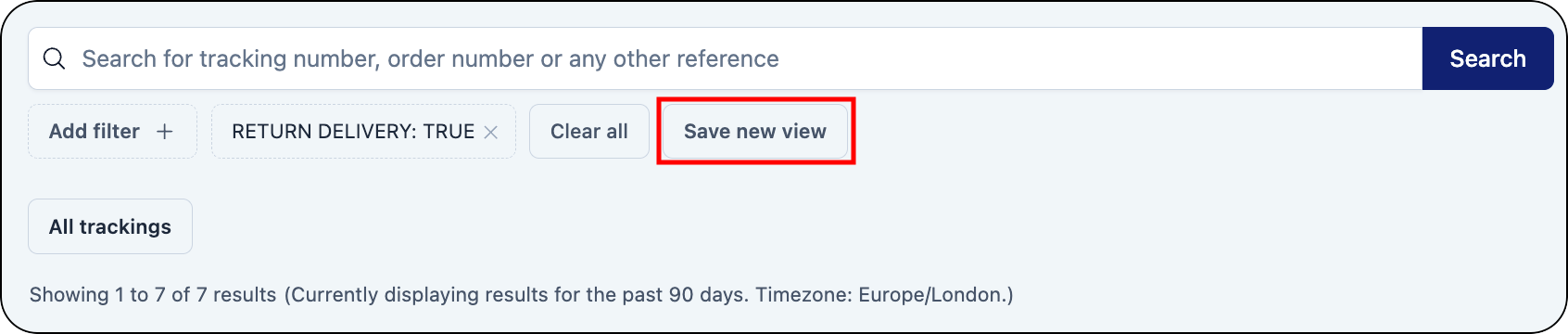
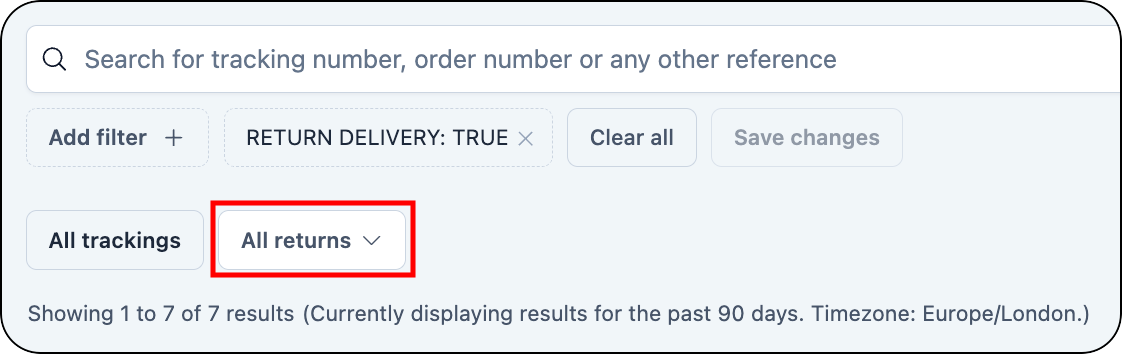
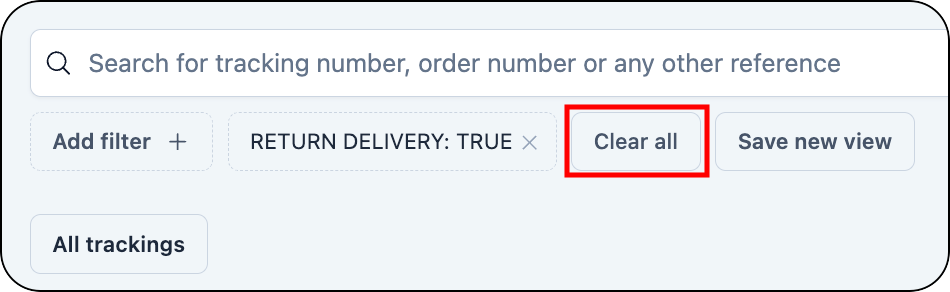
You can use the filters in thespace.vars.Product\_Trackings module to create customized views for tracking records.
To create a filtered view:
1. Click the **Add filter** button.
You can save relative date filters (for example: last 7 days), allowing you to apply up-to-date filters without manually reselecting date ranges. The number of days for the selected date range and the timezone are displayed above the search results to provide a clear view of the current dataset.
Edit filtered views for trackings
You can make the following changes to your saved views: * Rename a view * Duplicate a view * Delete a view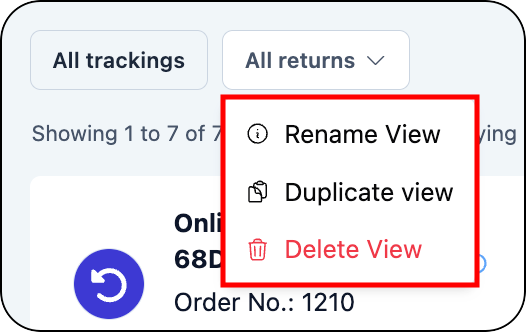
space.vars.Product\_Trackings module, you can manage key tasks, including to resend emails, initiate returns, and export tracking data.
Resend an email
In cases where a customer may not have received the required information, such as a returns label, here's how you can easily resend an email for the relevant tracking. To resend an email: 1. Search for and select the required tracking.\ For further information, see [how to find a tracking record](#trackings-how-to-find-a-tracking). 2. Click the required email record in the Notifications section of the detailed tracking record.\ The email record will open. 3. Click the **Send email again** button at the top of the email record.
Submit returns
You can easily initiate returns to provide a more streamlined process for managing customer returns. {% hint style="info" %} You must have a customer service returns portal enabled to use this feature. For more information on the scope and requirements of using this feature, please contact your parcelLab representative. {% endhint %} To initiate a return: 1. Search for and select the required tracking. For further information, see [how to find a tracking record](#trackings-how-to-find-a-return-tracking-record).\ The **Details** tab will open where you can initiate the returns request. 2. Click the **Initiate Return** button.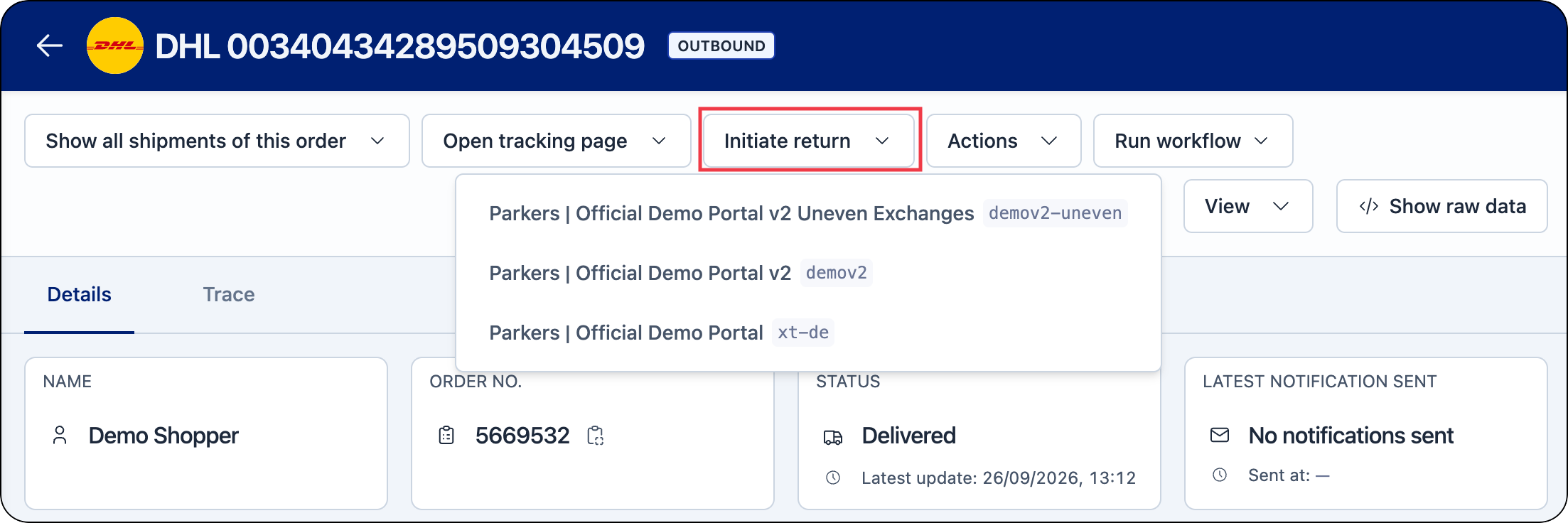
If you have more than one instance of your Returns Portal configured (that is: for different countries), you can select the required Returns Portal from the drop-down list.

space.vars.Product\_ReturnsPortal will display, showing the items from the order that can be returned.

Export tracking data
You can request a file containing all tracking records or a filtered selection of tracking records in the parcelLab system within the last 90 days. To request a data export: 1. Click the **Export** button on the Trackings page.
space.vars.Product\_pLApp, you have the option to edit, block or delete a customer’s email address. This will change where the email communications are sent, if email communications should be sent to an email address, or if the data should be deleted in compliance with GDPR. You can also go to the Communication module to export communication records for a particular communication channel.
Edit a customer's email address
To edit a customer’s email address: 1. Search for the customer's email address in the **Trackings** module. 2. Click on the tracking record. 3. In the detailed tracking view, select the **Change email** option in the detailed tracking record.
Block future email communication
You can stop sending any parcel-related communication to a customer by adding their email address to the deny list. To add an email address to the deny list: 1. Search for the customer's email address in the **Trackings** module. 2. Click on the tracking record. 3. In the detailed tracking view, select the **Put on deny list** option in the detailed tracking record.
Request GDPR data deletion
In a tracking record, you can access the form for GDPR deletion (that is: removing all Personally Identifiable Information associated with the email address). To submit a GDPR deletion request: 1. Search for the customer's email address in the **Trackings** module. 2. Click on the tracking record. 3. In the detailed tracking view, select the **Start GDPR Deletion** option in the detailed tracking record.
Confirmation of the data deletion is not sent to the target email(s).
Export communication records
In thespace.vars.Product\_Communication module, you can request a file containing all communication records by communication channel (that is: email or SMS).
To request a data export of return communication records:
1. Click the **Export** button on the relevant communication page.


space.vars.Product\_pLApp, see our [full user guide documentation](https://docs.parcellab.com/guides/getting-started/parcellab-app-overview).
{% endhint %}
| :brake-warning: Tracking Incident Statuses | Track alerts for deliveries with incidents. | Tracking Incident Statuses |
:file-exclamation: space.vars.Product_ClaimsMgr | Simplify the claims process for customer service teams. | Claims & Fraud Manager |