# Return Label Weight Optimization

## Overview

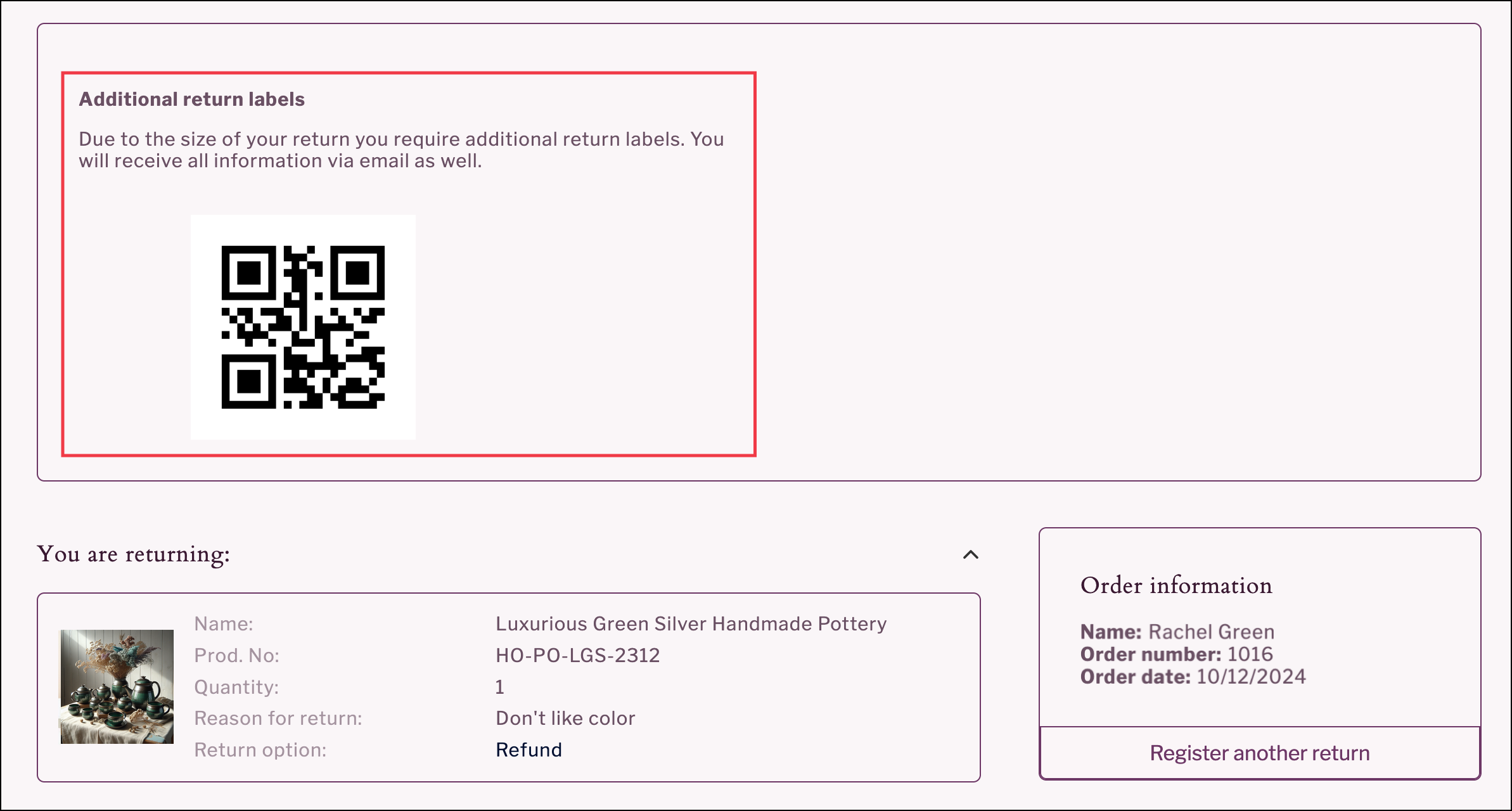
Save costs on return shipping by splitting return labels based on product tags that identify bulky items requiring additional return labels. The feature can be configured to generate multiple labels for a group of products based on weight, or to generate an additional label for single products.

{% hint style="info" %}
Shopify retailers can opt to configure this feature based on the number of outbound labels originally used to ship the items selected for return (that is: return labels generated equals the number of outbound labels for the order fulfillment).
{% endhint %}

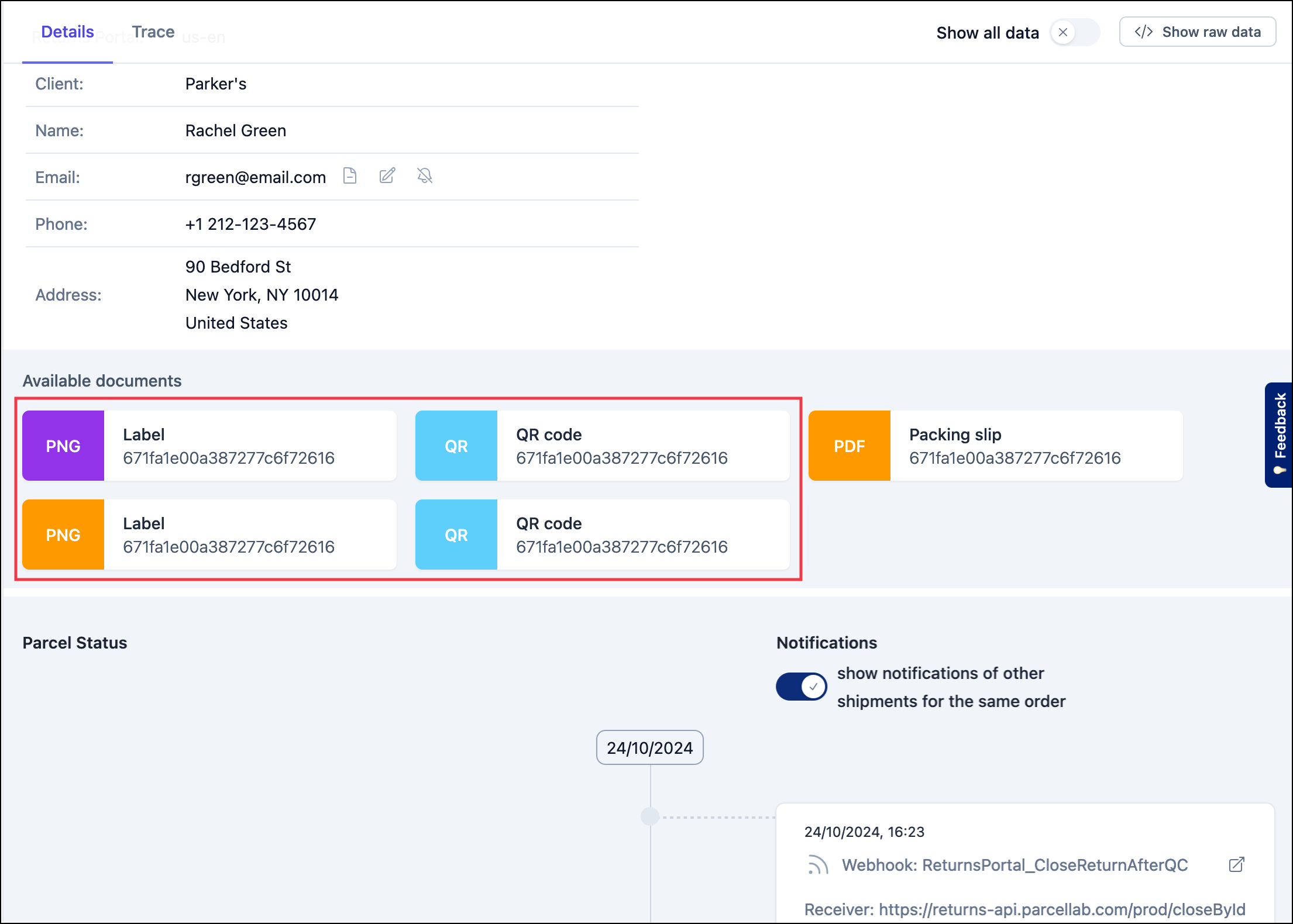
The additional labels generated are displayed and available for download on the confirmation page of the <code class="expression">space.vars.Product\_ReturnsPortal</code>. The additional labels generated can also be accessed by your customer service agents in the return tracking details in the <code class="expression">space.vars.Product\_pLApp</code>.

{% tabs %}
{% tab title="Additional label in the Returns Portal" %}

<figure><img src="https://1156682959-files.gitbook.io/~/files/v0/b/gitbook-x-prod.appspot.com/o/spaces%2F-LPf1Lv1YUuLYva6LrXQ%2Fuploads%2FlR28KpsGOlMv6Ri8OGVh%2FRP_ReturnConfirmationAdditionalQRCodeLabel.png?alt=media&#x26;token=1fc6f725-3e5a-42f6-bfcc-09a51b5acc01" alt="Additional return label section on return confirmation page"><figcaption><p>Returns Portal confirmation page displaying additional return label after return weight optimization</p></figcaption></figure>
{% endtab %}

{% tab title="Return documents in the parcelLab App" %}

<figure><img src="https://1156682959-files.gitbook.io/~/files/v0/b/gitbook-x-prod.appspot.com/o/spaces%2F-LPf1Lv1YUuLYva6LrXQ%2Fuploads%2FmgK0ijUUZHwTIzXauj39%2FApp_ReturnTrackingwithAdditionalLabels.png?alt=media&#x26;token=e1f3544d-4378-4e62-a293-e1097b0c2c79" alt="Return tracking record details with downloadable documents"><figcaption><p>Return tracking details page containing all return documents, including labels, provided to your Returns Portal users.</p></figcaption></figure>
{% endtab %}
{% endtabs %}

#### Key Benefits

This feature automatically splits shipments into smaller, cost-effective packages based on product tags, ensuring that your shipping costs are minimized by generating multiple labels for oversized items that are registered for return.

This supports optimization of your returns shipping process by avoiding higher costs associated with returning bulky packages, especially for retailers in the U.S. shipping larger items (for example: furniture or sports equipment).

## Configuring the Return Label Weight Optimization Feature

The following sections describe the configuration required for optimizing returns label generation by weight.

### Customer Requirements

For the feature to work, you need to provide the following:

* For configuring this at the item level:
  * The product tag that identifies which products should always receive a separate label per single quantity registered for return
* For configuring this based on the weight of the return shipment:
  * The product tags that identify products requiring multiple labels per single quantity registered for return
  * The number of labels that should be generated

### Implementation Process

To activate this feature, please contact your parcelLab representative with the information specified under the [Customer Requirements](#customer-requirements) section.


---

# Agent Instructions: Querying This Documentation

If you need additional information that is not directly available in this page, you can query the documentation dynamically by asking a question.

Perform an HTTP GET request on the current page URL with the `ask` query parameter:

```
GET https://docs.parcellab.com/docs/retain/returns-portal/features/return-label-weight-optimization.md?ask=<question>
```

The question should be specific, self-contained, and written in natural language.
The response will contain a direct answer to the question and relevant excerpts and sources from the documentation.

Use this mechanism when the answer is not explicitly present in the current page, you need clarification or additional context, or you want to retrieve related documentation sections.