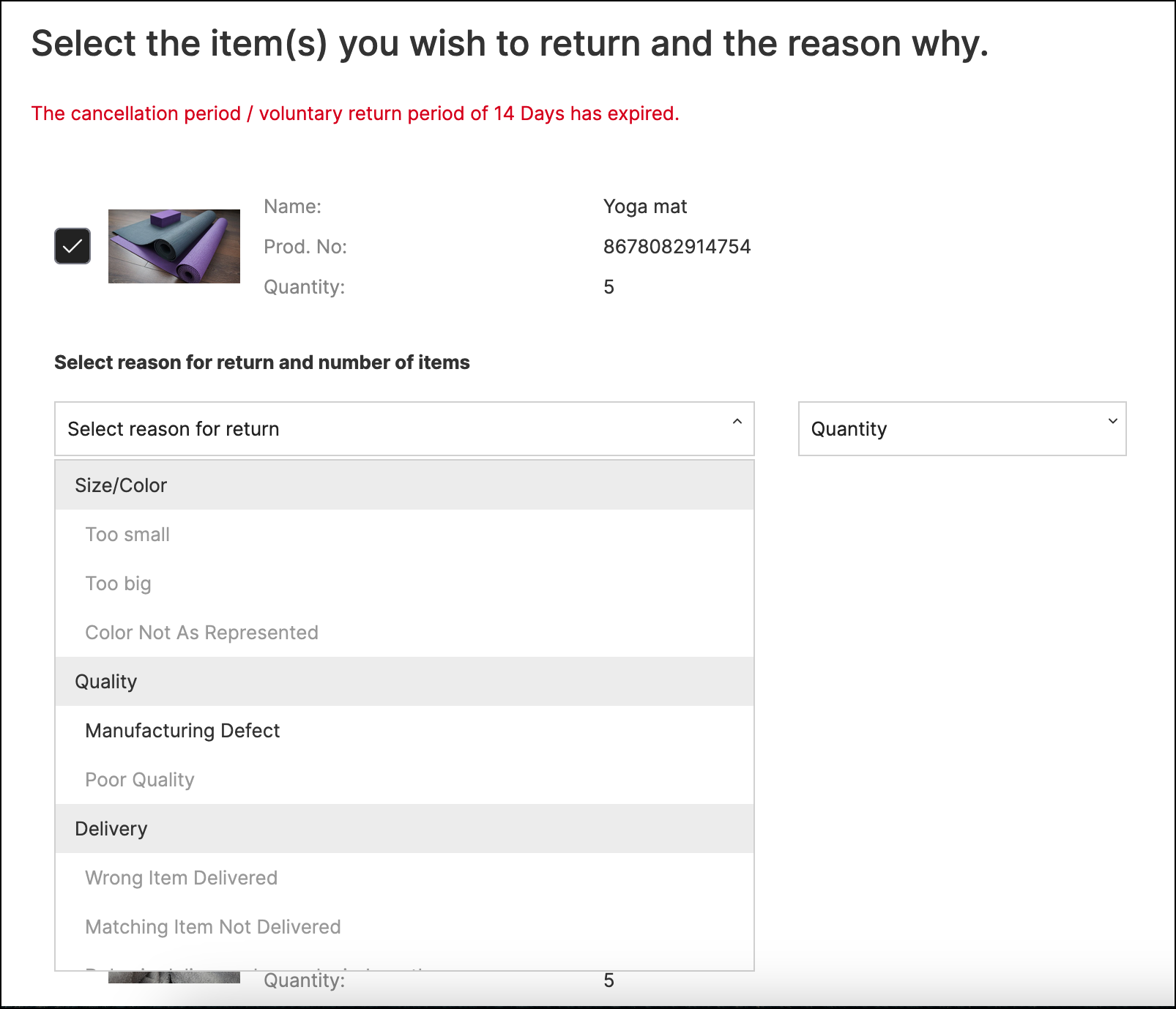
Returns Portal displaying restricted selection of return reasons after the configured standard return period of 14 days.
Returns Portal displaying restricted selection of return reasons after the configured standard return period of 14 days.
space.vars.Product\_ReturnsPortal if their ordered items are still eligible for return, and if you have a warranty period, your customers can still use the Returns Portal to register a purchased item for exchange or repair.
## Configuring the Return Periods Feature
The following sections describe the configuration required for the Return Periods feature.
The return period is calculated from the parcel's delivered date. If the delivered date is not available, the dispatch date or order date is used with a grace period configured to accommodate lead times.
### Customer Requirements
For the feature to work, you need to provide the following information:
* The duration for each return period to be configured in days (that is: trial, warranty or grace period)
* The start date and end date for special return periods
### Implementation Process
To activate this feature, please contact your parcelLab representative with the information specified under the [Customer Requirements](#customer-requirements) section.
{% hint style="info" icon="book" %}
#### Check out the parcelLab guides
For further information on configuring return periods, see our [user guide documentation](https://docs.parcellab.com/guides/returns/return-policies/return-windows).
{% endhint %}
---
# Agent Instructions
This documentation is published with GitBook. GitBook is the documentation platform designed so that both humans and AI agents can read, navigate, and reason over technical content effectively. Learn more at gitbook.com.
## Querying This Documentation
If you need additional information that is not directly available in this page, you can query the documentation by asking a question.
Perform an HTTP GET request on the following URL with the `ask` and `goal` query parameters:
```
GET https://docs.parcellab.com/docs/retain/returns-portal/features/return-periods.md?ask=