# Wallet Integration

## Overview

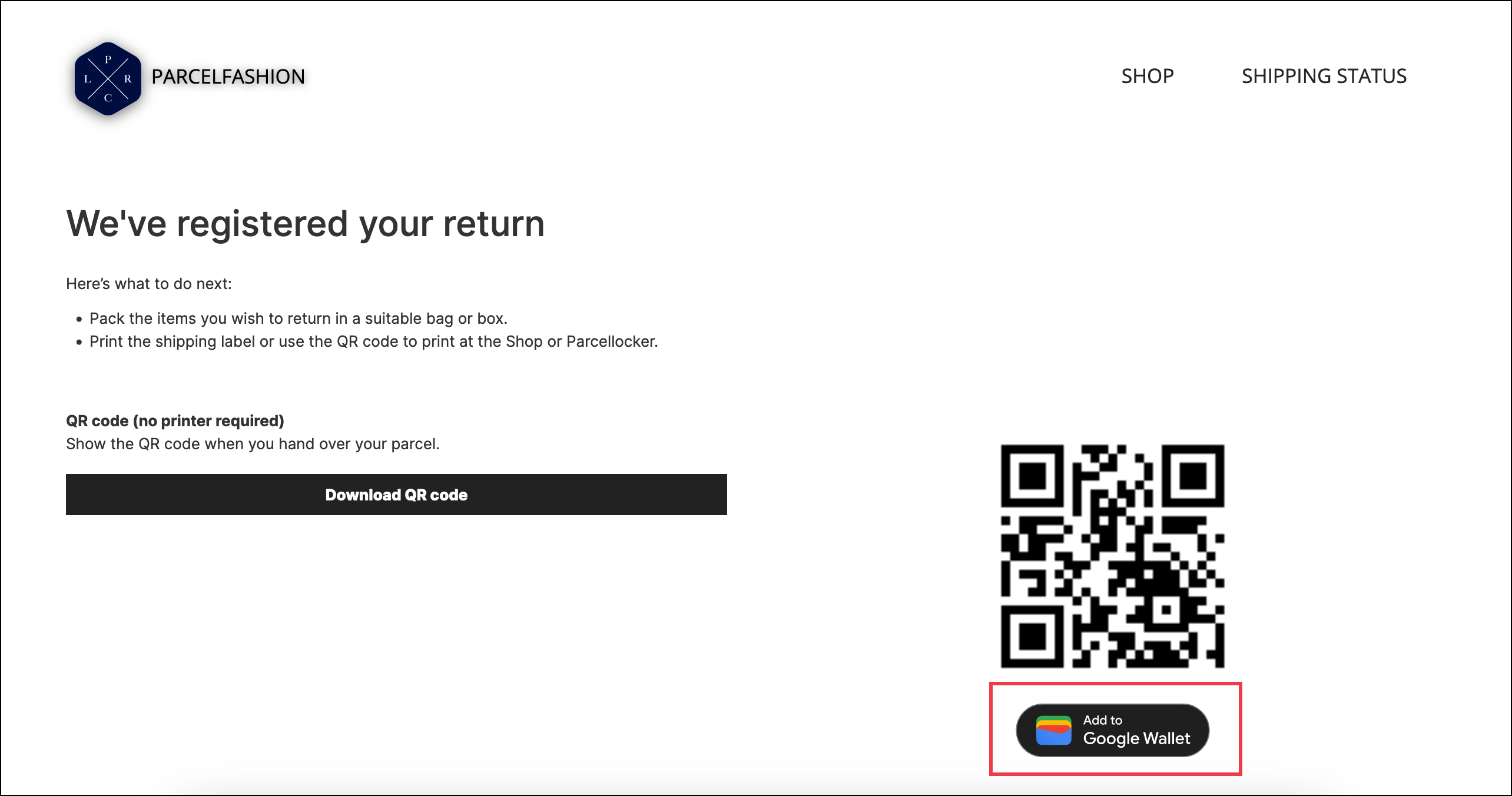
parcelLab's Wallet Integration feature enables your customers to save return QR codes to their native mobile wallet. The mobile pass can be downloaded from the return confirmation page and includes the customer's name, the order number, tracking number, and carrier used for the return shipment. &#x20;

<figure><img src="https://1156682959-files.gitbook.io/~/files/v0/b/gitbook-x-prod.appspot.com/o/spaces%2F-LPf1Lv1YUuLYva6LrXQ%2Fuploads%2FrWjvTqxGBGkpCZaSix2e%2FparcelFashion%20RP_Return%20Confirmation%20Page%20Wallet%20Integration%20highlighted.png?alt=media&#x26;token=ba37c15e-925e-401b-ac7c-c2b5946fbd05" alt=""><figcaption><p>Return confirmation page with Add to Wallet button</p></figcaption></figure>

{% hint style="info" %}
The images in the following examples are for reference only.
{% endhint %}

{% tabs %}
{% tab title="iOS Wallet Integration" %} <img src="https://1156682959-files.gitbook.io/~/files/v0/b/gitbook-x-prod.appspot.com/o/spaces%2F-LPf1Lv1YUuLYva6LrXQ%2Fuploads%2F8cmMyM3yOpmRCN5kkdrN%2Fimage.png?alt=media&#x26;token=39b0820a-8251-4bb4-9e16-a40ac198cc8f" alt="" data-size="original">![](https://1156682959-files.gitbook.io/~/files/v0/b/gitbook-x-prod.appspot.com/o/spaces%2F-LPf1Lv1YUuLYva6LrXQ%2Fuploads%2FDDAOlYqOna6jYJOrWV2e%2FWallet%20Integration_iOSDefault.png?alt=media\&token=ddc1aac9-2b3d-4e32-bf60-b26c253c03c5)
{% endtab %}

{% tab title="Android Wallet Integration" %} <img src="https://1156682959-files.gitbook.io/~/files/v0/b/gitbook-x-prod.appspot.com/o/spaces%2F-LPf1Lv1YUuLYva6LrXQ%2Fuploads%2FTxwxTmjtHgvyBbljwf8t%2Fimage.png?alt=media&#x26;token=a2a8dba4-bd8f-41ce-8e42-5fec4cbc8745" alt="" data-size="original">![](https://1156682959-files.gitbook.io/~/files/v0/b/gitbook-x-prod.appspot.com/o/spaces%2F-LPf1Lv1YUuLYva6LrXQ%2Fuploads%2FxoKFMhl61Z7L6qvq1sqt%2FWallet%20Integration_defaultAndroid.png?alt=media\&token=4727e4e8-3592-4722-bfd2-007f8e9ac46c)
{% endtab %}
{% endtabs %}

#### Key Benefits

QR code return labels can be downloaded as a digital pass that can be stored in mobile wallets. This provides increased accessibility for your customers who opt to use a QR code to access their return label when returning their parcels at a physical drop-off point.

## Configuring the Wallet Integration Feature

The following sections describe the configuration required for generating return labels as wallet passes in your <code class="expression">space.vars.Product\_ReturnsPortal</code>.

{% hint style="info" %}
A QR code is required to create a digital pass. This feature can be implemented for carrier integrations that generate return labels or return QR codes.
{% endhint %}

### Customer Requirements

For the feature to work, you need to provide the following:

* The carriers you want to activate this feature for

### Implementation Process

To activate this feature, please contact your parcelLab representative with the information specified under the [Customer Requirements](#customer-requirements) section.

If you wish to activate this feature with a new carrier for return shipments, parcelLab will review if the carrier is able to provide the necessary data for implementation.&#x20;


---

# Agent Instructions: Querying This Documentation

If you need additional information that is not directly available in this page, you can query the documentation dynamically by asking a question.

Perform an HTTP GET request on the current page URL with the `ask` query parameter:

```
GET https://docs.parcellab.com/docs/retain/returns-portal/features/wallet-integration.md?ask=<question>
```

The question should be specific, self-contained, and written in natural language.
The response will contain a direct answer to the question and relevant excerpts and sources from the documentation.

Use this mechanism when the answer is not explicitly present in the current page, you need clarification or additional context, or you want to retrieve related documentation sections.
