# A/B Testing
## Overview
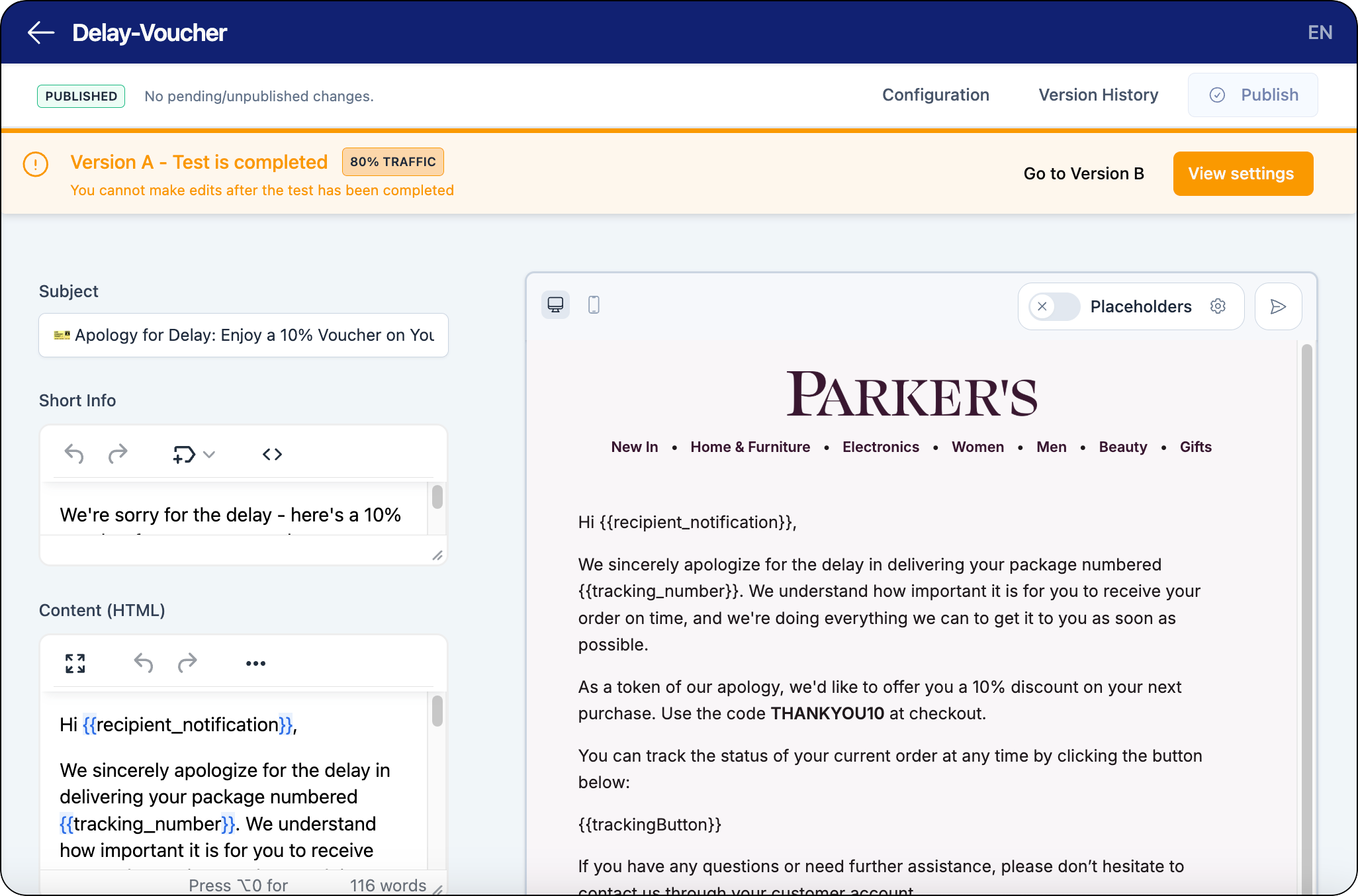
You can use the A/B testing functionality in the space.vars.Product\_App to test variations in your email content (for example: subject lines, visual assets, or calls to action). A/B test reach for each version can be configured by percentage.
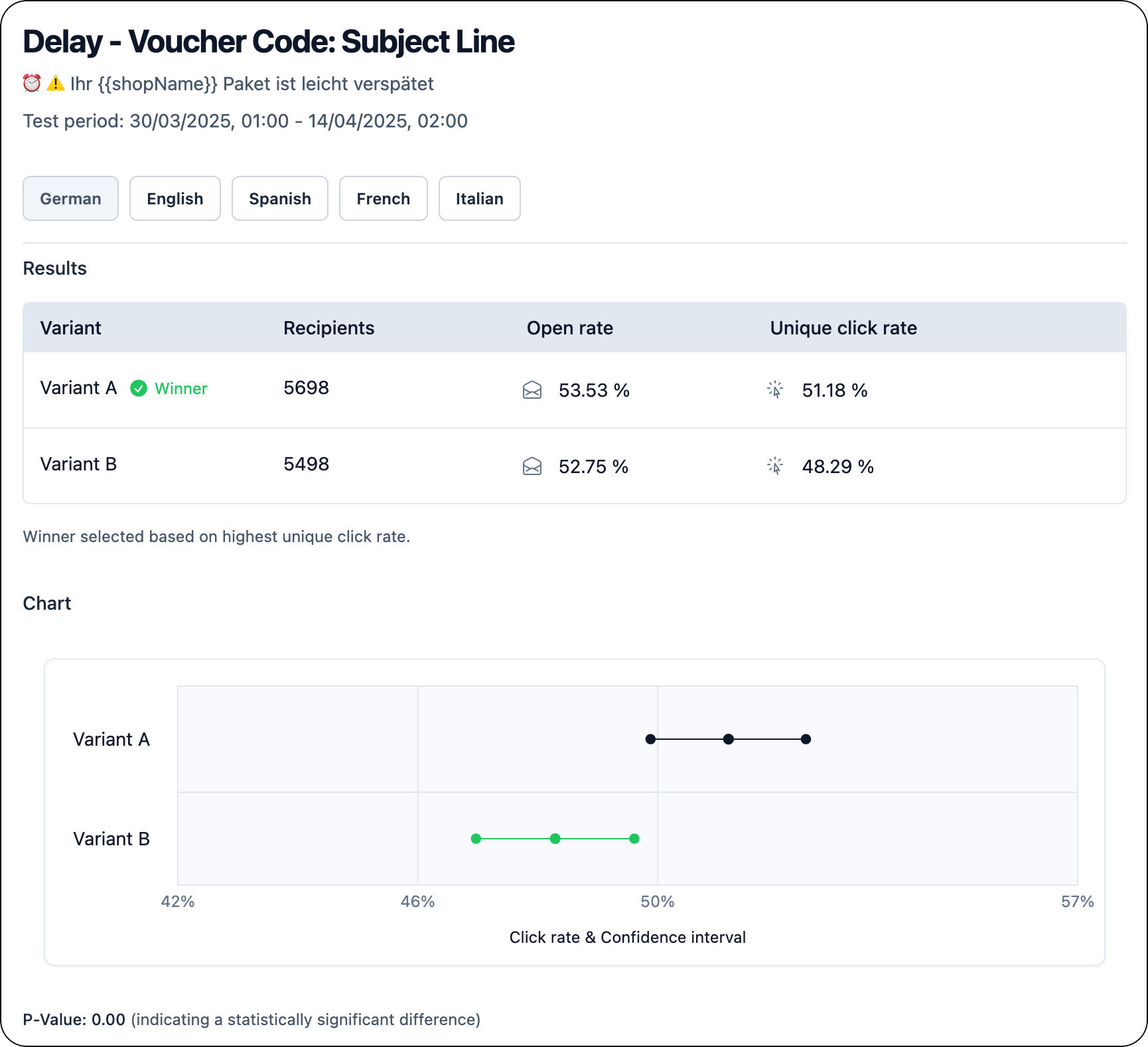
When a test is running, customers will receive a version of the message in the test (that is: the original message is not sent out to customers). Results for A/B tests can be viewed when a test is running or completed.
{% hint style="success" %}
Save time by using our AI tool to generate A/B test message variants automatically. Just select the message you want to use for your A/B test, enter the details related to the area to improve (for example: message subject), and our AI tool will build a draft A/B test variant that you can customize.
{% endhint %}
{% tabs %}
{% tab title="A/B Test Message Editor" %}
{% endtab %}
{% tab title="A/B Test Results View" %}
{% endtab %}
{% endtabs %}
### Key Benefits
By testing variations in your email messages, you can compare versions of a variable in your email content to determine if a version performs better based on customer engagement. Using the A/B test feature in the space.vars.Product\_App gives you full control over testing your email content, as well as access to live results during an active test.
A/B test results based on open rates and click rates provide measurable outcomes for determining if changing a component in your emails can lead to real increase in customer engagement.
## Configuring A/B Tests
The following section describes the configuration required for A/B testing.
### Customer Requirements
To use A/B testing for your email communications, you need the following setup:
* Configure email messages in the space.vars.Product\_App
When A/B tests are configured in the space.vars.Product\_App, the original message will be replaced by the versions in your A/B test based on the configured reach for each version during the test.
{% hint style="info" icon="book" %}
#### Check out the parcelLab guides
For further information on configuring A/B tests, see our [user guide documentation](https://how.parcellab.works/guides/experience-design/automation/a-b-tests).
{% endhint %}
---
# Agent Instructions: Querying This Documentation
If you need additional information that is not directly available in this page, you can query the documentation dynamically by asking a question.
Perform an HTTP GET request on the current page URL with the `ask` query parameter:
```
GET https://docs.parcellab.com/docs/engage/a-b-testing.md?ask=
```
The question should be specific, self-contained, and written in natural language.
The response will contain a direct answer to the question and relevant excerpts and sources from the documentation.
Use this mechanism when the answer is not explicitly present in the current page, you need clarification or additional context, or you want to retrieve related documentation sections.