# WISMO/R Agent

{% hint style="info" %}
We are running a pilot for this feature. For more information on the scope and requirements for using the WISMO/R agent, please contact your parcelLab representative.
{% endhint %}

## What’s New

Integrate the WISMO/R agent in your post-purchase emails and customer support platforms to provide instant and accurate responses to customer queries about their order and delivery status in real-time.

<table data-card-size="large" data-view="cards"><thead><tr><th></th><th></th></tr></thead><tbody><tr><td><strong>Flexible channel integration</strong></td><td>Embed the WISMO/R agent into your chat interfaces or let it support customers who reply to your order status emails sent from parcelLab.</td></tr><tr><td><strong>Instant 24/7 order and delivery support</strong></td><td>Automate customer support for simple order inquiries using real-time order and tracking data, regardless of time zone or operating hours.</td></tr><tr><td><strong>Proactive expectation setting</strong></td><td>The WISMO/R agent uses context and real-time data to explain order and delivery issues, predict next steps, and provide actionable help.</td></tr><tr><td><strong>Smart response system</strong></td><td>The WISMO/R agent analyzes queries to provide real-time order status and tracking updates and escalates complex cases to your support team.</td></tr></tbody></table>

## Configuring the WISMO/R Agent

The following sections describe the configuration required for the WISMO/R agent.

### Customer Requirements

This section describes the requirements for integrating the WISMO/R agent for email and [via API](https://app.gitbook.com/s/ew6OnyRUe6InzC96WnMr/agents) to use in your chatbots or customer service platforms.

#### WISMO/R Agent for Chat

For the feature to work, the following requirements must be met:

* Opt-in to OpenAI enabled for your parcelLab account
* API token with `read` and `write` permissions to use the [Agents API](https://app.gitbook.com/s/ew6OnyRUe6InzC96WnMr/agents/agents)
* Agent ID.\
  The agent ID for your WISMO/R agent will be provided by parcelLab after the agent is configured for your account.

#### WISMO/R Agent for Email

For the feature to work, the following requirements must be met:

* Opt-in to OpenAI enabled for your parcelLab account
* WISMO/R agent configured for your parcelLab account
* parcelLab Engage for email communications

{% hint style="info" %}
To integrate the WISMO/R agent for email, please contact your parcelLab representative.
{% endhint %}

## Using the WISMO/R Agent

This section describes the process of using the WISMO/R agent to respond to order inquiries.

{% hint style="info" %}
The following visual examples are for reference only. The WISMO/R agent can be configured to respond according to your brand requirements (for example: tone of voice, links to FAQs).
{% endhint %}

{% tabs %}
{% tab title="WISMO/R Agent for Email" %}

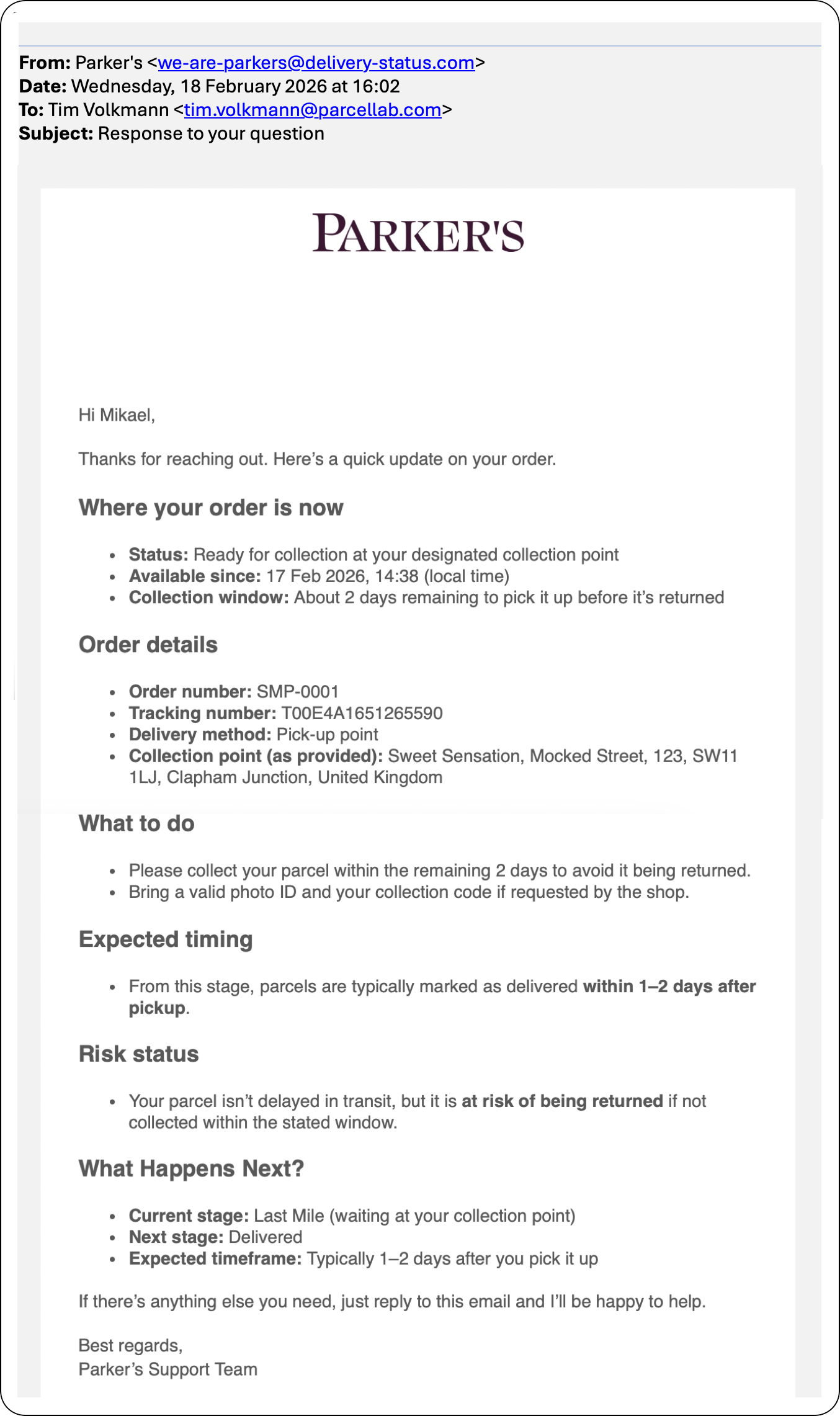
<div align="left"><figure><img src="https://1156682959-files.gitbook.io/~/files/v0/b/gitbook-x-prod.appspot.com/o/spaces%2F-LPf1Lv1YUuLYva6LrXQ%2Fuploads%2FzHjdKhw6hDGFkuVPw5ma%2FWISMOEmailResponse.png?alt=media&#x26;token=1f5742be-ef59-474b-984f-aba239c7216a" alt="Example email response automated via the wismo agent" width="563"><figcaption></figcaption></figure></div>

When integrated in your email communications from parcelLab, the WISMO/R agent automatically responds to emails from customers who reply to your order and delivery email updates.&#x20;

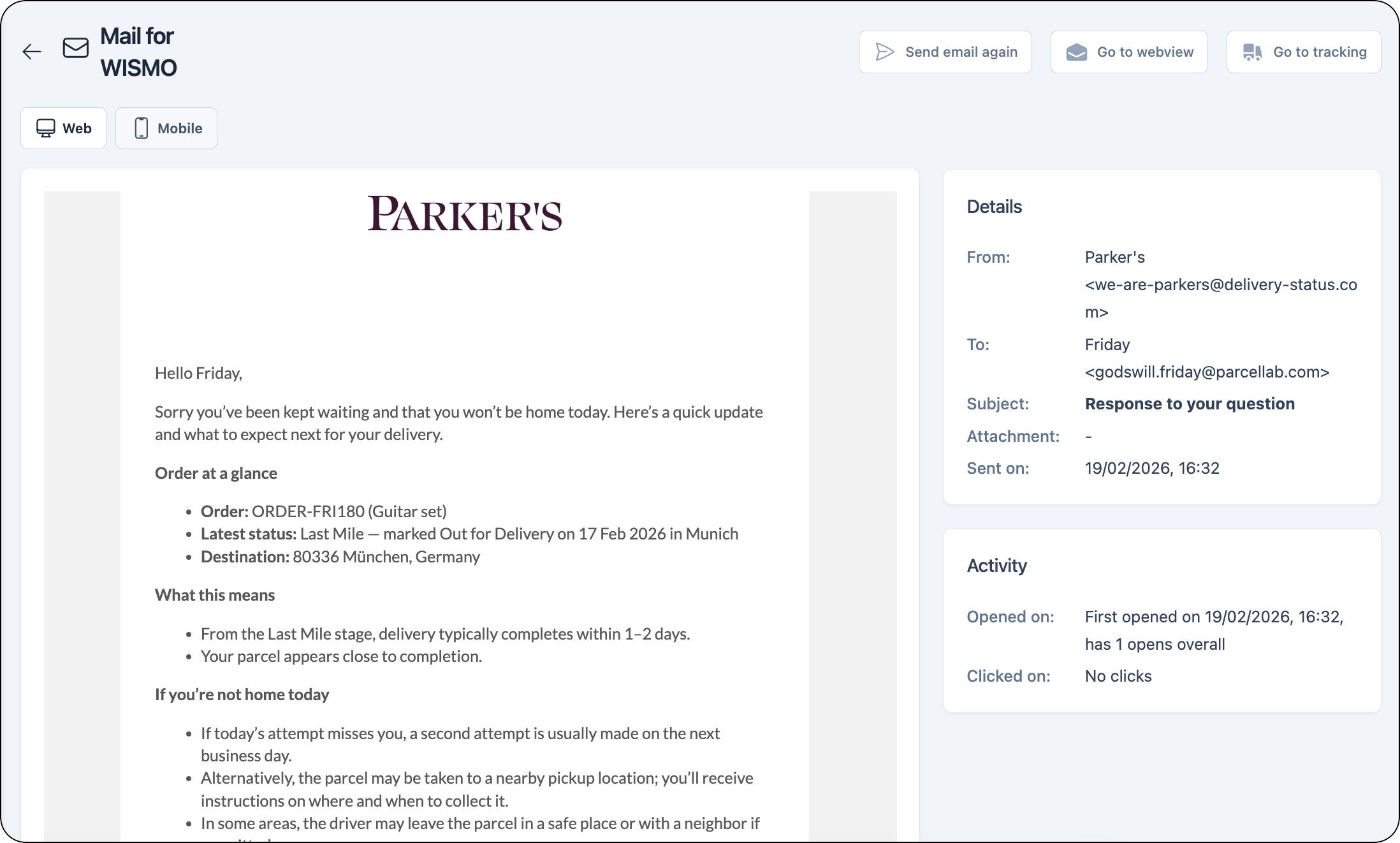
These messages can be viewed for each tracking in the parcelLab App on the tracking details page.

<figure><img src="https://1156682959-files.gitbook.io/~/files/v0/b/gitbook-x-prod.appspot.com/o/spaces%2F-LPf1Lv1YUuLYva6LrXQ%2Fuploads%2FdQ3tSZpykBuIjFpeCvIq%2FTrackingDetails_AgentEmailView.png?alt=media&#x26;token=99508abb-96d5-4fa3-b769-52424507cec7" alt="Message record in the parcelLab App for the email sent by the wismo agent "><figcaption></figcaption></figure>
{% endtab %}

{% tab title="WISMO/R Agent for Chat" %}

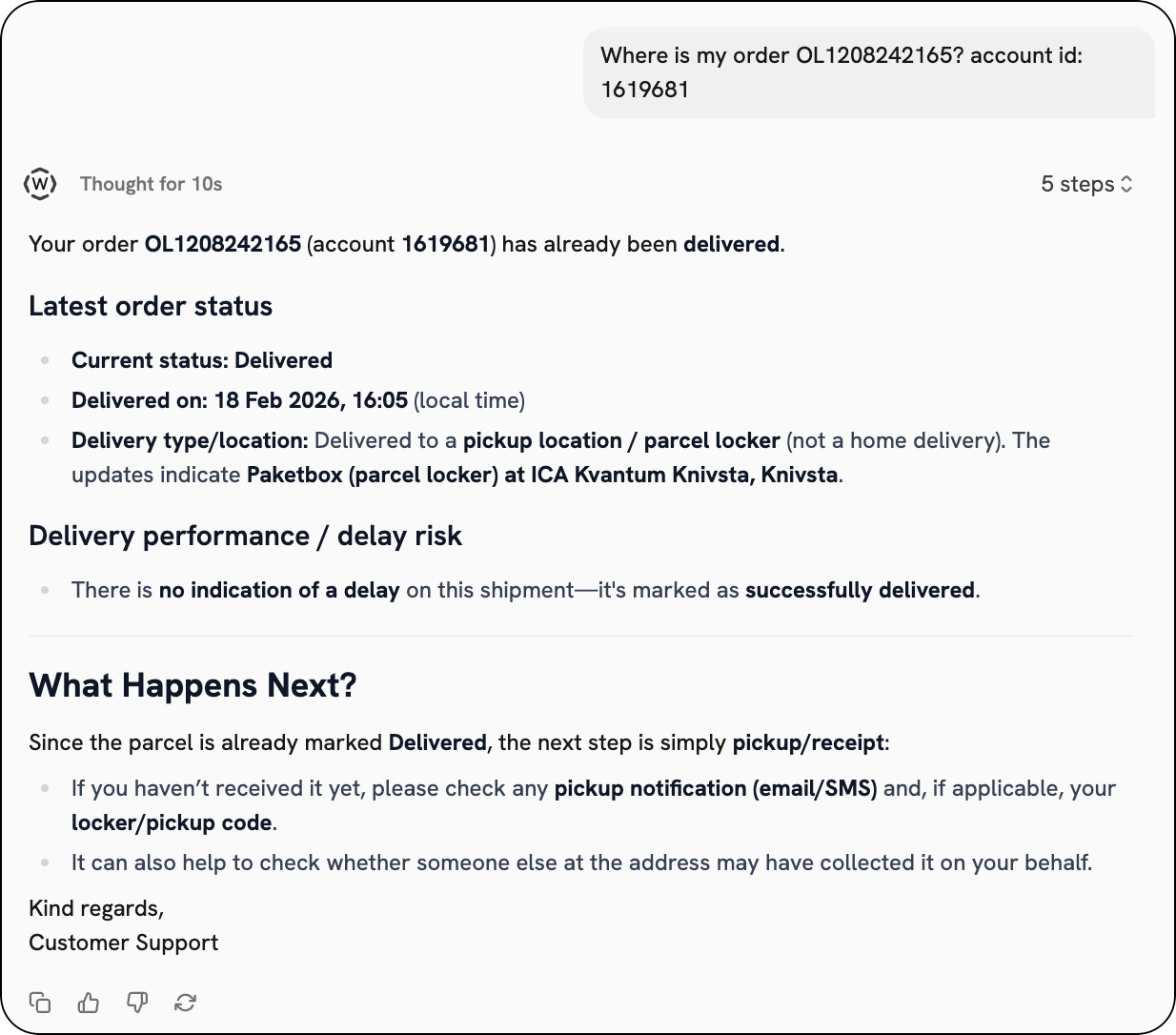
<div align="left"><figure><img src="https://1156682959-files.gitbook.io/~/files/v0/b/gitbook-x-prod.appspot.com/o/spaces%2F-LPf1Lv1YUuLYva6LrXQ%2Fuploads%2FPbEGV5cA65IuZlx40kDf%2FWISMOChatDelivered.png?alt=media&#x26;token=6b2d8f4e-5d8d-4ad2-b531-35a0bc460d13" alt="Example chat with wismo agent"><figcaption></figcaption></figure></div>

When integrated in your chat interfaces or app, the WISMO/R agent can provide a detailed order status update at any time, and suggest helpful next steps to your customers based on the tracking information available.
{% endtab %}
{% endtabs %}


---

# Agent Instructions: Querying This Documentation

If you need additional information that is not directly available in this page, you can query the documentation dynamically by asking a question.

Perform an HTTP GET request on the current page URL with the `ask` query parameter:

```
GET https://docs.parcellab.com/docs/platform/wismor-agent.md?ask=<question>
```

The question should be specific, self-contained, and written in natural language.
The response will contain a direct answer to the question and relevant excerpts and sources from the documentation.

Use this mechanism when the answer is not explicitly present in the current page, you need clarification or additional context, or you want to retrieve related documentation sections.