# Order/Warehouse Events

## Send Custom Events

Details of how the `shop-event` endpoint can be used to send custom events in the parcelLab system are described below.

{% hint style="info" %}
Sending custom shop events is tailored towards extending the lifecycle of a delivery with additional information of an order or consignment. Those events are shown to customers both on the order status page, and they can be used to trigger notifications.
{% endhint %}

<details>

<summary><mark style="color:green;">POST</mark> Send Custom Events</summary>

You can send custom events (that is: about the order, consignment, payment and so on) in the parcelLab system using the `shop-event` endpoint.

To use this API, you need your parcelLab `user_id` and `API token` for authentication.

The details of the Send Custom Events API are described in the following section.

#### API Details

<mark style="color:green;">`POST`</mark> `https://api.parcellab.com/shop-event`

**Header**

| Name         | Type   | Description         |
| ------------ | ------ | ------------------- |
| user         | number | parcelLab user ID   |
| token        | string | parcelLab API token |
| content-type | string | 'application/json'  |

**Request Body**

<table><thead><tr><th width="174.5">Name</th><th width="153">Type</th><th>Description</th></tr></thead><tbody><tr><td><code>courier</code></td><td>string</td><td>parcelLab courier code (for example: <code>ups</code> or <code>dhl</code>).</td></tr><tr><td><code>tracking_number</code></td><td>string</td><td>Tracking number</td></tr><tr><td><code>location</code></td><td>string (optional)</td><td>The location of the event.</td></tr><tr><td><code>event</code></td><td>string</td><td>Please see <a href="#supported-even-messages">a list of supported events</a> below., For more information, contact your parcelLab representative.</td></tr><tr><td><code>timestamp</code></td><td>string</td><td>The date/time of the event in <a href="https://en.wikipedia.org/wiki/ISO_8601">ISO 8601</a> format: <code>YYYY-MM-DD[T]HH:mm:ss.SSSZ</code>.</td></tr></tbody></table>

**Responses**

* 200 - accepted

</details>

<details>

<summary>Using the <code>deduplicate</code> parameter (optional)</summary>

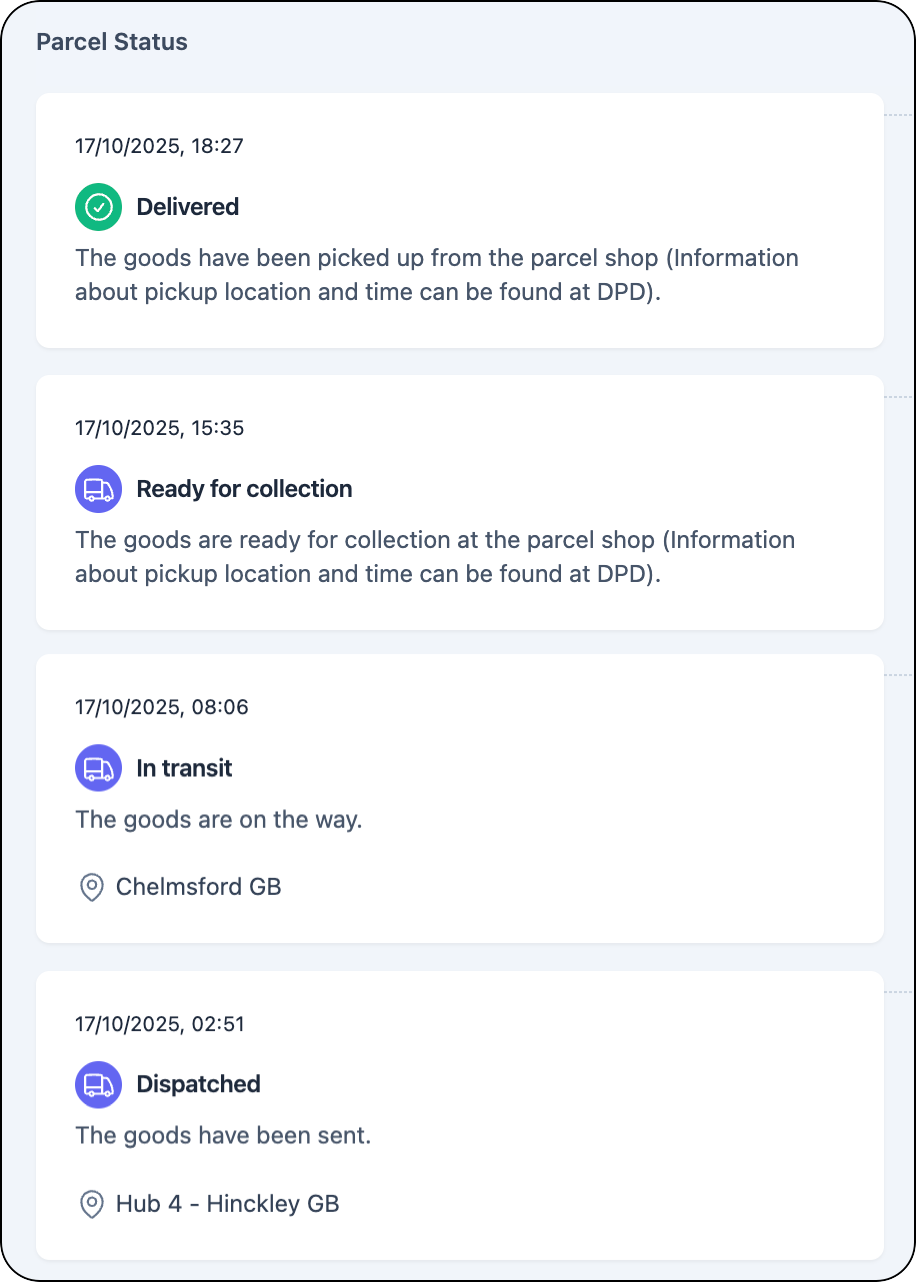
If you observe duplicated events that should only be displayed once for tracking statuses (for example: in case the system sending your data cannot guarantee unique timestamps for events), you can use the query parameter `deduplicate` to ensure that duplicated events are not displayed for a tracking's status in the App.
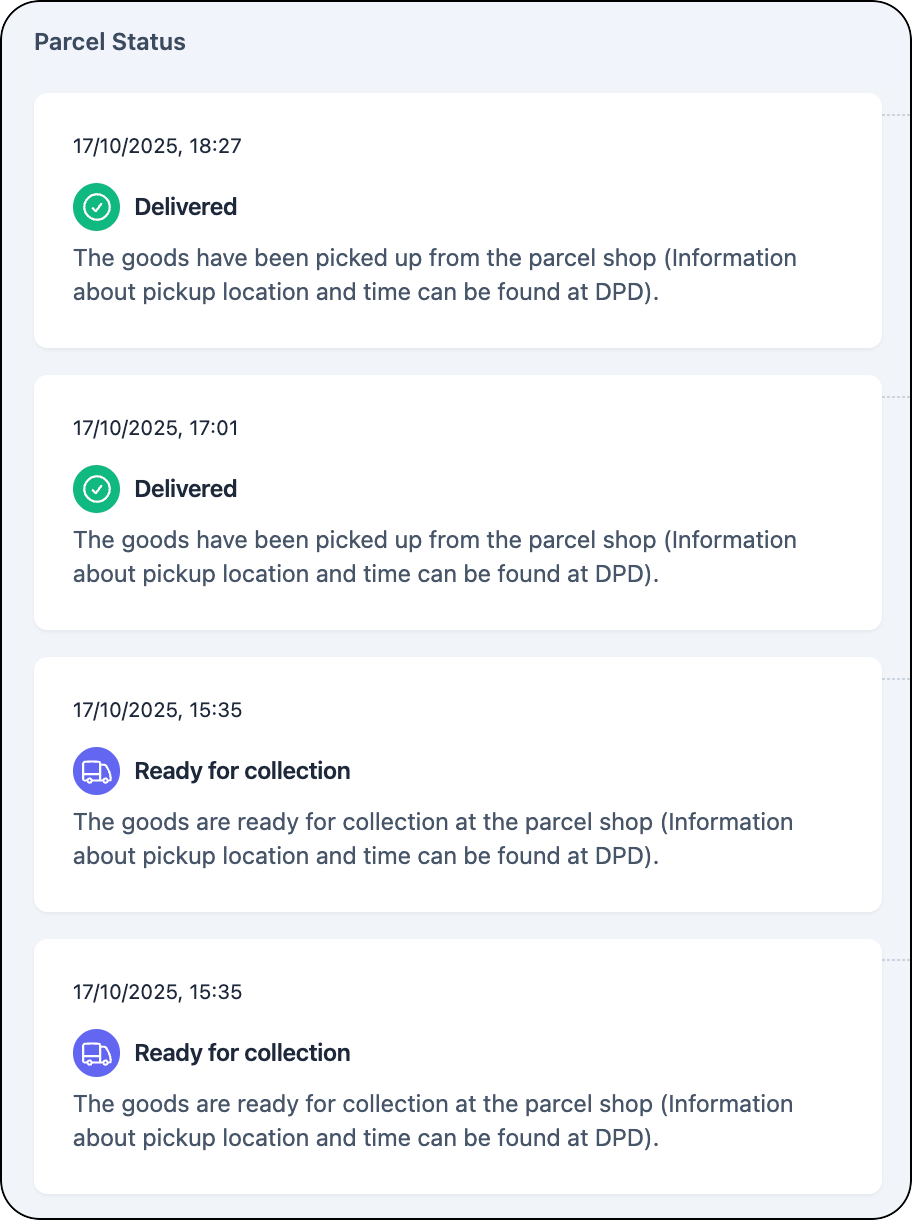
<div align="left"><figure><img src="/files/E1nM0xG0LLDpwPA2v12n" alt="Example of multiple events of the same type." width="188"><figcaption><p><em>Parcel status displaying duplicated events</em><br><em>for a tracking</em></p></figcaption></figure> <figure><img src="/files/53P50SoLy14Y6CqOqXEr" alt="" width="188"><figcaption><p><em>Parcel status without duplicated</em><br><em>events</em></p></figcaption></figure></div>

To use the `deduplicate` parameter:

* Append the query string `deduplicate=true` to the URL when sending custom events to parcelLab (that is: `https://api.parcellab.com/shop-event?deduplicate=true`).

The parcelLab system uses the message and location keys to enforce uniqueness, so that duplicated events are not displayed in the parcel status for trackings in the App.

</details>

### Allowed API Payload Structures

This API accepts request bodies (payloads) to update via multiple reference numbers. The provided payload always must contain:

* The `timestamp` of the event in [ISO 8601](https://en.wikipedia.org/wiki/ISO_8601) format `YYYY-MM-DD[T]HH:mm:ss.SSSZ`.
* The `event` can be any internal code describing a status that will be mapped by the parcelLab team.
* Optional `location` of the event as any clear text string.

#### Via Courier and Tracking Number

To update a specific tracking via providing the original courier code and tracking number, your payload must include the following:

* The `courier` in the parcelLab format.
* The `tracking_number` as listed in the parcelLab system.

<details>

<summary>Courier and Tracking Number Example</summary>

In this example, you would send a webhook similar to the below.

```
{
    "courier": "dhl-germany",
    "tracking_number": "00340001612264742802",
    "timestamp": "2021-04-09T16:12:00.000Z",
    "location": "Munich, Germany",
    "event": "internalEvent-Dispatched"
}
```

</details>

#### Via Courier and Transport Number

If the provided event should be applied to multiple trackings on a single transport, the payload can be changed to include the following:

* The `courier` in the parcelLab format.
* The `transportNo` as listed in the parcelLab system for one or multiple trackings.

<details>

<summary>Courier and Transport Number Example</summary>

In this example, you would send a webhook similar to the below.

```
{
    "courier": "dhl-germany",
    "transportNo": "T000001",
    "timestamp": "2021-04-09T16:12:00.000Z",
    "location": "Munich, Germany",
    "event": "internalEvent-Dispatched"
}
```

</details>

#### Via Order Number

Events can also be attached to any order. For this, the identification key is `orderNo`, which can be included in your payload as listed in the parcelLab system.

<details>

<summary>Order Number Example</summary>

In this example, you would send a webhook similar to the below.

```
{
    "courier": "dhl-germany",
    "orderNo": "0012345",
    "timestamp": "2021-04-09T16:12:00.000Z",
    "location": "Munich, Germany",
    "event": "internalEvent-Dispatched"
}
```

</details>

### Supported Event Messages

Find details below on the supported values for the `event` key by category.

#### Warehouse Events

To provide additional information about the first mile (that is: the warehouse progress to the customer), use any of the events below.

{% hint style="warning" %}
These warehouse events do not reflect a formal lifecycle and should be considered optional events. There is no need to follow this sequence or to use all events. You can choose the event that reflects best the status update you are looking to communicate. There is no reporting or exception handling on those events, they are purely informational.
{% endhint %}

<table><thead><tr><th width="185.5">Event</th><th>Description</th></tr></thead><tbody><tr><td><code>WarehousePending</code></td><td>The order was transferred to the warehouse.</td></tr><tr><td><code>WarehousePrepared</code></td><td>The delivery is being prepared.</td></tr><tr><td><code>WarehouseDelay</code></td><td>Preparation of the delivery in the warehouse has been delayed, which will cause dispatch to be later than expected.</td></tr><tr><td><code>LabelPrinted</code></td><td>The shipping documents were printed.</td></tr><tr><td><code>Packed</code></td><td>The delivery has been packed in the warehouse.</td></tr><tr><td><code>Loaded</code></td><td>The shipment has been loaded in the dispatch department.</td></tr></tbody></table>

#### Carrier Events

If required and for certain situations, you can also explicitly set the status that would usually be provided by the carrier. This is only recommended in the case of own fleet, in-store orders and so on, where you control the delivery process. For more details on those events, see our [Status Model](/docs/developers/v2/data-elements/status-model.md).

<table><thead><tr><th width="274.5">Event</th><th>Description</th></tr></thead><tbody><tr><td><code>PickUpScheduled</code></td><td>Label created; carrier pickup expected.</td></tr><tr><td><code>LabelPrinted</code></td><td>Label printed; preparing handover.</td></tr><tr><td><code>InboundScan</code></td><td>First scan into carrier network.</td></tr><tr><td><code>InTransit</code></td><td>Parcel moving within carrier network.</td></tr><tr><td><code>Exception-AddressIssue</code></td><td>Blocked due to address problem.</td></tr><tr><td><code>Exception-Damaged</code></td><td>Blocked because parcel damaged.</td></tr><tr><td><code>Rerouted</code></td><td>Parcel rerouted to a new route.</td></tr><tr><td><code>OutForDelivery</code></td><td>Courier out today to deliver.</td></tr><tr><td><code>FailedAttempt</code></td><td>Delivery attempt failed; will retry.</td></tr><tr><td><code>PickupReady</code></td><td>Ready for pickup at parcel shop.</td></tr><tr><td><code>Delivered</code></td><td>Delivered to non-specified location.</td></tr><tr><td><code>Delivered-Doorstep</code></td><td>Delivered to recipient at doorstep.</td></tr><tr><td><code>ReturnToSender</code></td><td>Failed delivery; being returned to sender.</td></tr></tbody></table>

#### Return Processing Events

To update customers on received returns use the events below. This is helpful as carrier events end with a delivery to the retailer's warehouse, however this typically does not constitute for the return actually being processed.

These warehouse events do not reflect a formal lifecycle and should be considered optional events. There is no reporting or exception handling on those events, they are purely informational. For a direct integration with your warehouse system and returns intake, see our dedicated [Warehouse Events for Returns](/docs/developers/v2/returns/warehouse-events-for-returns.md) API.

<table><thead><tr><th width="211">Event</th><th>Description</th></tr></thead><tbody><tr><td><code>ReturnInProcess</code></td><td>The returned package is being processed.</td></tr><tr><td><code>ReturnProcessed</code></td><td>The returned items have been processed.</td></tr><tr><td><code>ReturnRefunded</code></td><td>The refund of the returned and accepted items has been initiated and will be credited in a few days.</td></tr></tbody></table>


---

# Agent Instructions: Querying This Documentation

If you need additional information that is not directly available in this page, you can query the documentation dynamically by asking a question.

Perform an HTTP GET request on the current page URL with the `ask` query parameter:

```
GET https://docs.parcellab.com/docs/developers/v2/status-updates/send-shop-events.md?ask=<question>
```

The question should be specific, self-contained, and written in natural language.
The response will contain a direct answer to the question and relevant excerpts and sources from the documentation.

Use this mechanism when the answer is not explicitly present in the current page, you need clarification or additional context, or you want to retrieve related documentation sections.