
Magento 2
The Magento 2 Webhook Extension for parcelLab enables fast and simple integration.
For Magento 2.4.6+, please use version 2.4.24 of the plugin or later.
For previous versions of Magento, please use version 2.4.21 of the plugin.
Installation and Setup Guide
If you have Mageplaza Webhook already installed, DO NOT INSTALL this extension and follow our setup guide instead: Setup Guide with Mageplaza Webhook
To install the Magento 2 Webhook extension:
Run the following command in Magento 2 root folder:
composer require parcellab/magento-2-webhook
php bin/magento setup:upgrade
php bin/magento setup:static-content:deploy
After successful installation and deploy log in to your Admin Backend of Magento, navigate to
System > parcelLab Webhook > Configuration.
In this screen, you will have to enter your parcelLab API credentials.
Generate a new parcelLab API Token with
writeaccess in the parcelLab Portal.Enter the newly generated parcelLab API Token together with your parcelLab User ID.

When entering your credentials:
Use your parcelLab User ID, not an email address.
Use the plain API token value from parcelLab. Do not use an encoded or encrypted token.
In the same screen, set Enabled to Yes. This setting is separate from the event configuration and must also be enabled.
Save the configuration and flush the Magento cache before testing.
The plugin must be enabled in System > parcelLab Webhook > Configuration in addition to enabling the events in Manage Events. If Enabled remains No, the events can still appear active, but the webhook request body will not be sent to parcelLab.
Navigate to
System > parcelLab Webhook > Manage Events.
You will find the two required events already pre-configured.

If you have entered your parcelLab credentials earlier and set the plugin configuration to Enabled = Yes, activate the events.

After saving any configuration or event changes, flush the Magento cache and place a new test order to confirm the webhook is sent successfully.
🎉 Your integration is complete! 🎉

FAQs
Can I add more events?
Due to the tailored use of this extension, the number of events is limited. For more flexible webhooks please use the fork source Magento 2 Webhook by Mageplaza.
I received the error Mageplaza_Core has been already defined
You can resolve it by following the solution here.
My site is down, what should I do?
You can resolve it by following this guide.
Where do I find transfer logs?
Navigate to System > parcelLab Webhook > Transfer Logs.
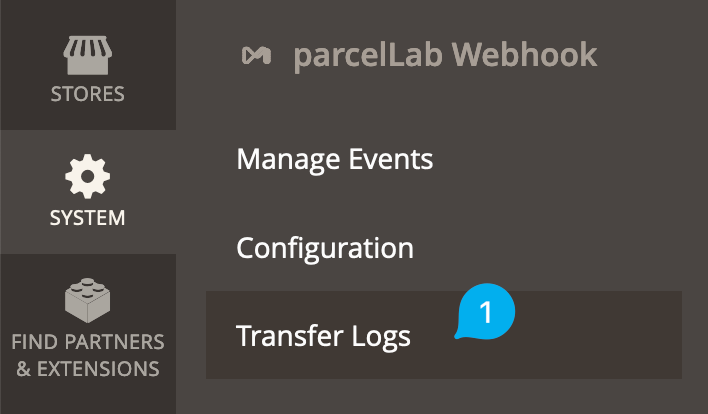
The transfer logs will display a list of recent transfers and you can view the details for each entry by selecting View in the Action column.

When requesting support, please share both the Response as well as the Request Body.

The events are enabled, but parcelLab is not receiving the webhook or the request body is blank
Check the following in Magento:
In
System > parcelLab Webhook > Configuration, set Enabled to Yes.Enter your parcelLab User ID and make sure it is not replaced with an email address.
Use the plain API token value from parcelLab, not an encoded or encrypted token.
Flush the Magento cache after saving configuration changes.
If Enabled is set to No, the events can still appear active in Manage Events, but the webhook payload will not be sent to parcelLab.
I am unsure whether I have Magento 2 Webhook by Mageplaza installed, how can I check?
Run php bin/magento module:status and check whether Mageplaza_Webhook is listed.
If it is listed, please do not install this extension and follow our Setup Guide with Mageplaza Webhook instead.
If I already have Magento 2 Webhook by Mageplaza installed, how can I integrate with parcelLab?
The easiest way is to follow our Setup Guide with Mageplaza Webhook for this extension, which will take you less than 15 minutes to complete.
Credit
This extension is a fork of the Magento 2 Webhook by Mageplaza published under MIT license on Github (see fork source). This fork simplifies your setup for integration with parcelLab by providing appropriate defaults.
It also uses the following packages:
Last updated
Was this helpful?