# Communication Types

## Overview

Set up your communications to provide a variety of status updates and tailored communication from your preferred channels, allowing customers to keep track of their orders and enjoy a branded experience.

You can send automated communication to customers for events within the outbound order process.

The standard emails include but are not limited to:

{% columns %}
{% column width="41.66666666666667%" %}

* Dispatch/Shipping Confirmation
* Out for Delivery (today)
* Out for Delivery (time window)
* Delay
  {% endcolumn %}

{% column width="58.33333333333333%" %}

* Pickup Ready
* Pickup Reminder
* Failed Delivery Attempt
* Delivered
  {% endcolumn %}
  {% endcolumns %}

{% hint style="info" %}
The types of emails sent depend on carrier data and therefore may differ between carriers and technical setup. For certain carriers, mandatory email types and design requirements may be specified.
{% endhint %}

It is also possible to track packages and display the latest status on a branded order status page. For more information, refer to the following page:

{% content-ref url="../order-status-page" %}
[order-status-page](https://docs.parcellab.com/docs/engage/order-status-page)
{% endcontent-ref %}

You can also send automated status updates throughout the returns process and track returns shipments in real-time. For more information, refer to the following page:

{% content-ref url="../../retain/returns-communication" %}
[returns-communication](https://docs.parcellab.com/docs/retain/returns-communication)
{% endcontent-ref %}

## Configuring Outbound Email Communications

The following sections describe the configuration required for sending standard outbound email communication.

### Customer Requirements

To configure outbound delivery communication, you need to provide the following information to parcelLab:

* Tracking numbers
* Order number
* Corresponding customer data, including email address
* Content of the outbound communication, including the types of notification

For more information on customizing the content in your communications, refer to the following page:

{% content-ref url="" %}
[](https://docs.parcellab.com/docs/engage/messages-and-journeys)
{% endcontent-ref %}

The connection between the tracking number and order number is required to enable the display of the list of items within the outbound communications. You can send us the required information via API, file transfer, email (BCC), or an event bus integration.

For information on how to send data to parcelLab, refer to the following pages:

{% content-ref url="../../platform/data-integration" %}
[data-integration](https://docs.parcellab.com/docs/platform/data-integration)
{% endcontent-ref %}

{% content-ref url="../../platform/data-integration/event-bus-integration" %}
[event-bus-integration](https://docs.parcellab.com/docs/platform/data-integration/event-bus-integration)
{% endcontent-ref %}

### Implementation Process

When the data integrations for the tracking numbers and delivery status have been implemented, parcelLab will check if the required data is received in full. The notifications will be set up for the emails according to the agreed content and notification type.

## Sample Outbound Email Communications

You can customize the communications you send to adapt to your existing outbound delivery process. The following sections highlight some examples of outbound email communications that can be set up based on the data sent to parcelLab.

{% hint style="info" %}
These examples illustrate typical outbound delivery communication notifications. For further information on how the feature can be set up for your outbound delivery process, please contact your parcelLab representative.
{% endhint %}

<details>

<summary>Dispatch/Shipping Confirmation</summary>

Dispatch/shipping confirmation notifications are sent when a customer's order has been dispatched from your warehouse. This notification type can include but not is limited to the following:

* A link to your Order Status page for the parcel
* A summary of items purchased in the order
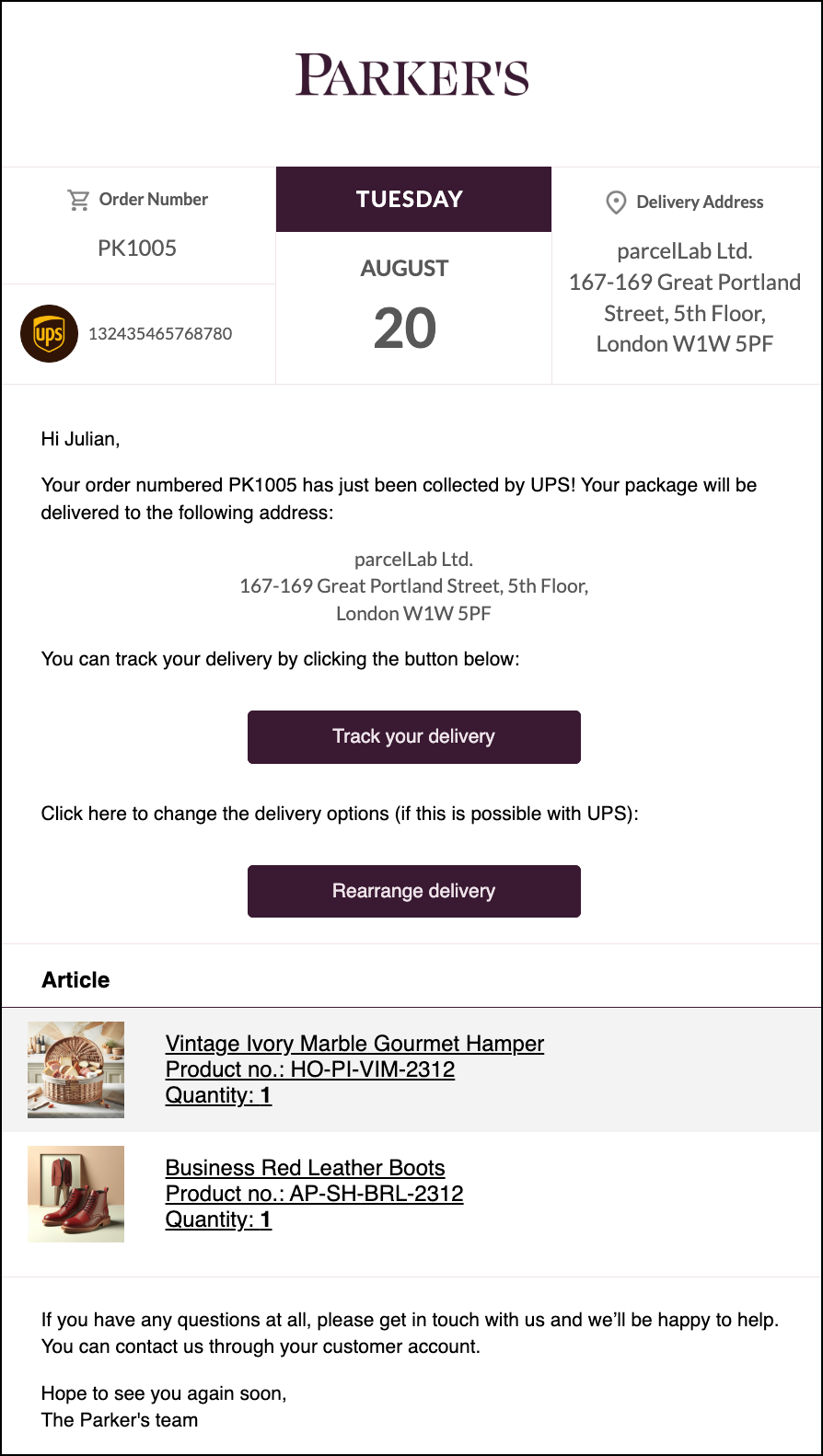
<img src="https://1156682959-files.gitbook.io/~/files/v0/b/gitbook-x-prod.appspot.com/o/spaces%2F-LPf1Lv1YUuLYva6LrXQ%2Fuploads%2F0139DgZ3Cdx9BfpYQ810%2FParkersDispatchConfirmation.png?alt=media&#x26;token=40dbe652-a73f-4d08-955e-14358762bd52" alt="Dispatch/shipping confirmation email Out for delivery today email example with link to order status page and order summary" data-size="original">

</details>

<details>

<summary>Out for Delivery (today)</summary>

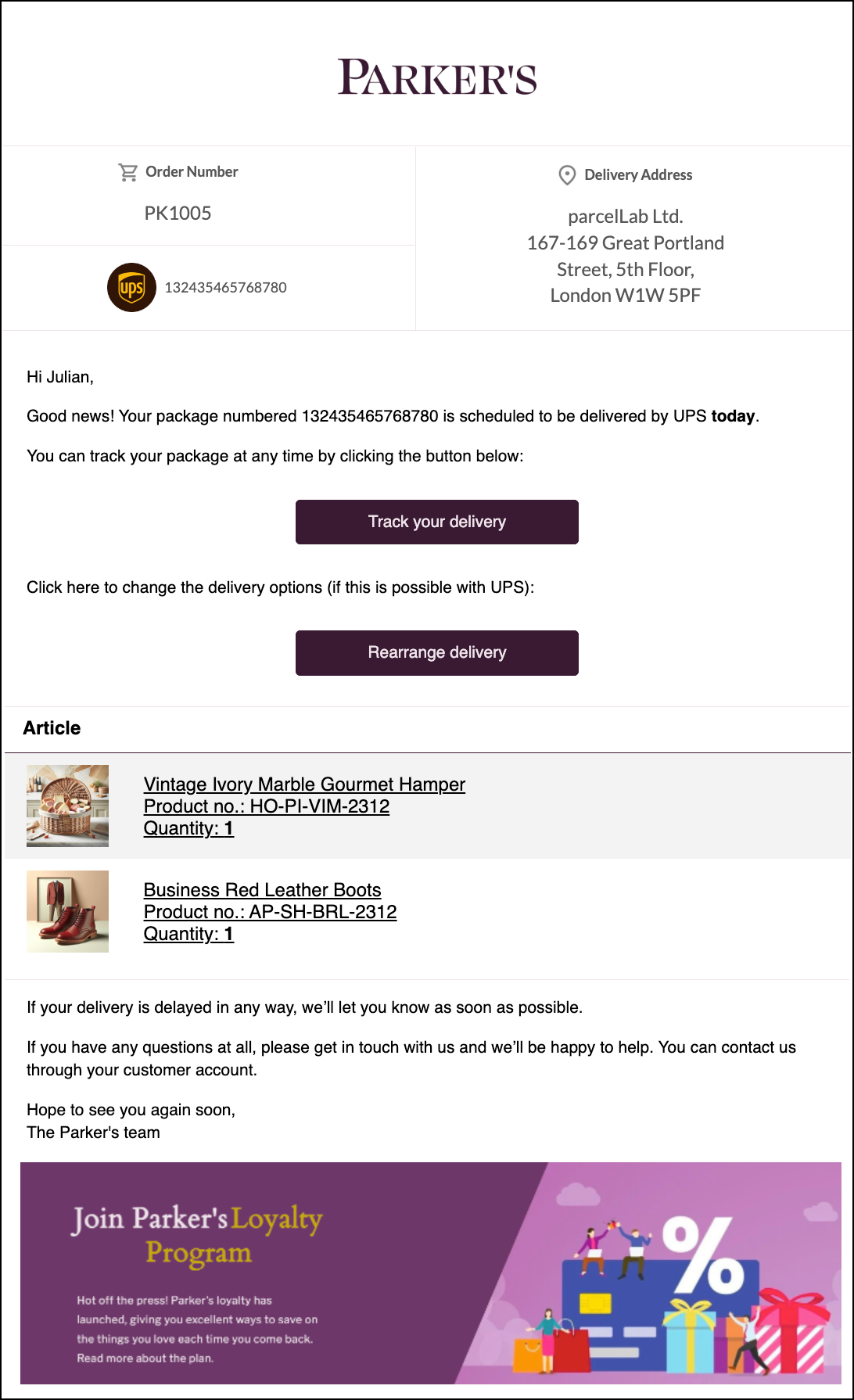
Out for delivery (today) notifications are sent on the day a customer's order is out for delivery. This notification type can include but not is limited to the following:

* A summary of items purchased in the order
* A link to your Order Status page for the parcel
* A link to allow customers to reschedule the delivery

<img src="https://1156682959-files.gitbook.io/~/files/v0/b/gitbook-x-prod.appspot.com/o/spaces%2F-LPf1Lv1YUuLYva6LrXQ%2Fuploads%2FDT15PJFVl5CtKo1B8pPB%2FParkersOutForDelivery.png?alt=media&#x26;token=9308174a-7c7c-47e3-8c89-63e47861b088" alt="Out for delivery today email example with order summary, link to order status page and link to rearrange the delivery" data-size="original">

</details>

<details>

<summary>Delivered</summary>

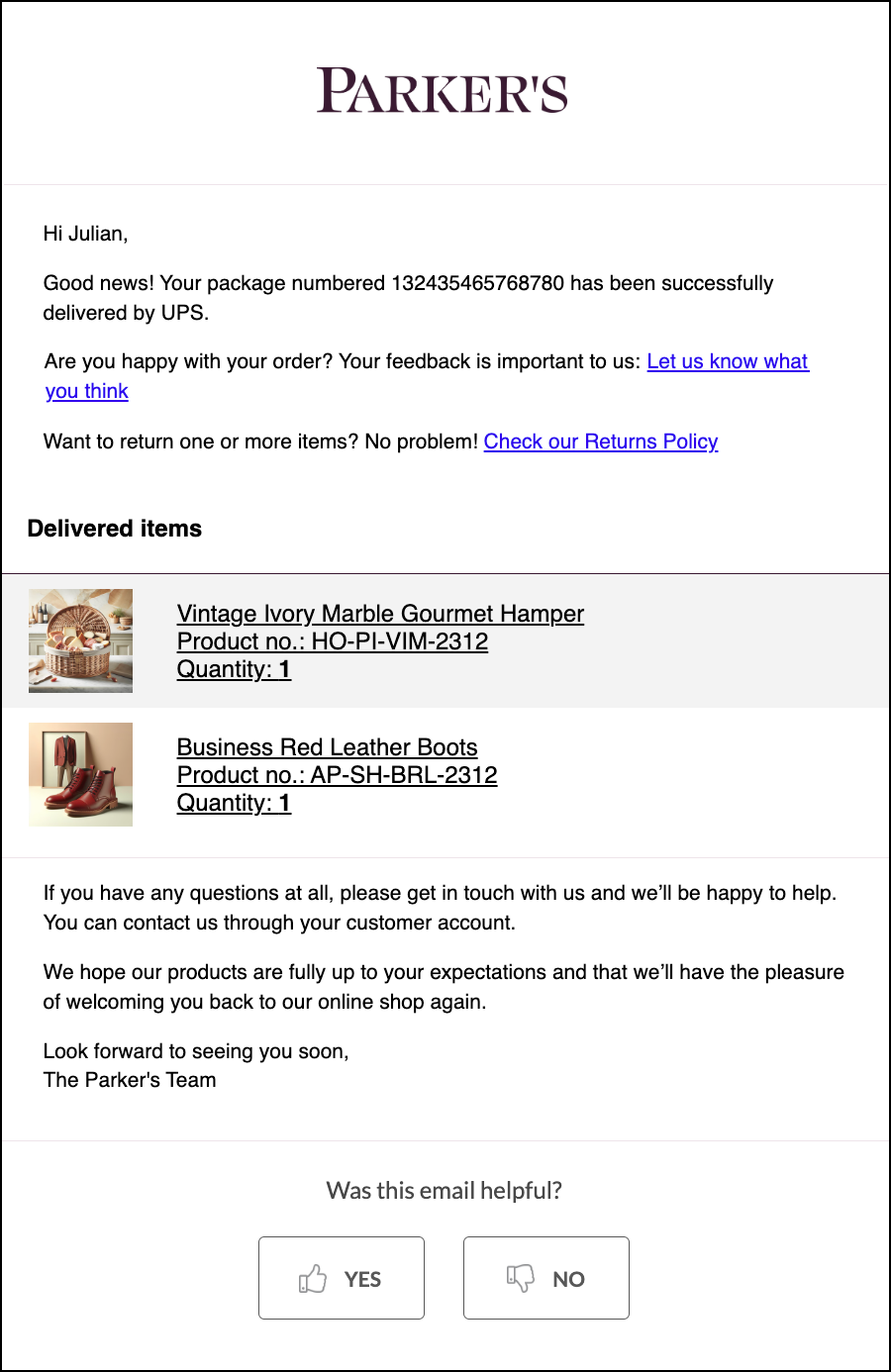
Delivered notifications are sent when a customer's order has been delivered to their address. This notification type can include but not is limited to the following:

* A summary of items purchased in the order
* A link to register a return in the Returns Portal (if available)

<img src="https://1156682959-files.gitbook.io/~/files/v0/b/gitbook-x-prod.appspot.com/o/spaces%2F-LPf1Lv1YUuLYva6LrXQ%2Fuploads%2Fm7XTC9RaEh5pUb8CO0Yw%2FParkersDelivered.png?alt=media&#x26;token=33dd1aa3-87eb-4bc1-8e3c-18e9e6d2f23e" alt="Delivered email example with order summary and link to register a return" data-size="original">

</details>

## Learn More

View the following topics for more information on the different communications you can send with parcelLab:

<table data-view="cards"><thead><tr><th></th><th></th><th data-hidden data-card-target data-type="content-ref"></th></tr></thead><tbody><tr><td><i class="fa-lightbulb-message">:lightbulb-message:</i> <strong>Proactive Communications</strong></td><td><ul><li><a href="overview/pre-dispatch">Pre-Dispatch</a></li><li><a href="overview/click-and-collect">Click and Collect</a></li><li><a href="overview/opt-in-management">Opt-In Management</a></li><li><a href="overview/segmentation">Segmentation</a></li><li><a href="overview/untracked-deliveries">Untracked Deliveries</a></li><li><a href="overview/attachments">Attachments</a></li></ul></td><td><a href="broken-reference">Broken link</a></td></tr><tr><td><i class="fa-image">:image:</i> <strong>Embedded Content</strong></td><td><ul><li><a href="overview/article-lists">Product List</a></li><li><a href="overview/product-recommendations">Product Recommendation Engines</a></li><li><a href="overview/visual-enhancements">Visual Enhancements</a></li></ul></td><td><a href="broken-reference">Broken link</a></td></tr><tr><td><i class="fa-message-smile">:message-smile:</i> <strong>Feedback and Review Platforms</strong></td><td><ul><li><a href="overview/parcellab-nps">parcelLab NPS</a></li><li><a href="overview/trust-platforms">Trust Platforms</a></li></ul></td><td><a href="broken-reference">Broken link</a></td></tr><tr><td><i class="fa-mobile">:mobile:</i> <strong>Communication Channels</strong></td><td><ul><li><a href="overview/parcellab-sms">parcelLab SMS</a></li><li><a href="overview/push-notifications">Push Notifications</a></li></ul></td><td><a href="broken-reference">Broken link</a></td></tr></tbody></table>


---

# Agent Instructions: Querying This Documentation

If you need additional information that is not directly available in this page, you can query the documentation dynamically by asking a question.

Perform an HTTP GET request on the current page URL with the `ask` query parameter:

```
GET https://docs.parcellab.com/docs/engage/messages-and-journeys/overview.md?ask=<question>
```

The question should be specific, self-contained, and written in natural language.
The response will contain a direct answer to the question and relevant excerpts and sources from the documentation.

Use this mechanism when the answer is not explicitly present in the current page, you need clarification or additional context, or you want to retrieve related documentation sections.
